


Oracle Cloud EPM 26.11: REST APIs for insights, dashboards, and the worklist
The 26.11 REST APIs for insight detail, dashboards, and the worklist, and what to fix before production on November 20.
Share on LinkedIn
The November 2026 Cloud EPM update is 26.11. Test environments got it on Friday, November 6. Production gets it on Friday, November 20. The API sections below are the ones I would walk in a review. The rest of the update is a shorter pass at the end.
When test and production get it
Oracle applies the update during the first daily maintenance at or after a set time. Most realms are 22:00 UTC. OC4, in uk-gov-london-1 or uk-gov-cardiff-1, and OC19, in eu-frankfurt-2 or eu-madrid-2, are 14:00 UTC. Both Fridays use the same windows.
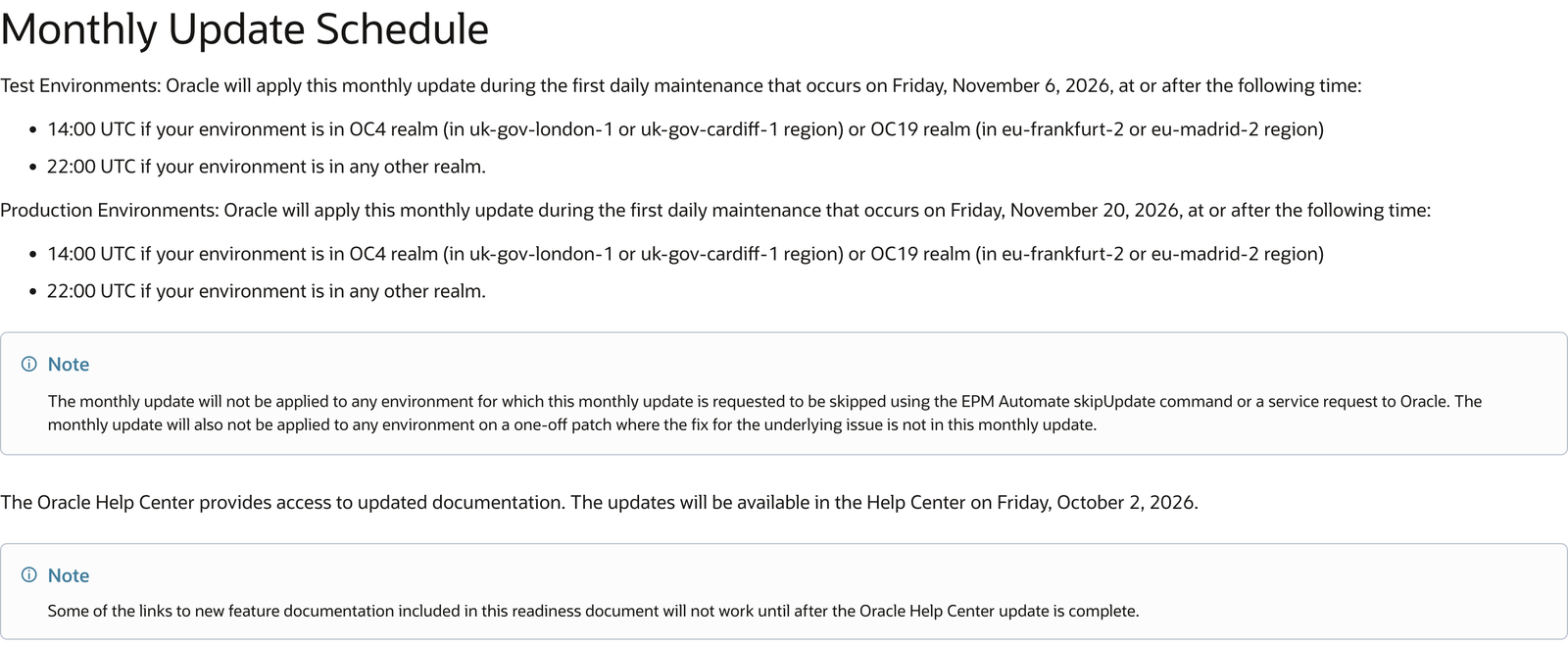
Test was November 6. Production is November 20. An environment that skipped this update, or that runs a one-off patch whose fix is not in this month, does not get 26.11.
Oracle says updated docs publish on the first Friday of the month, the same day test is patched. For this month, that was November 6. The REST reference pages missed that date. They were up by November 18, in edition G42939-14 of the REST book.
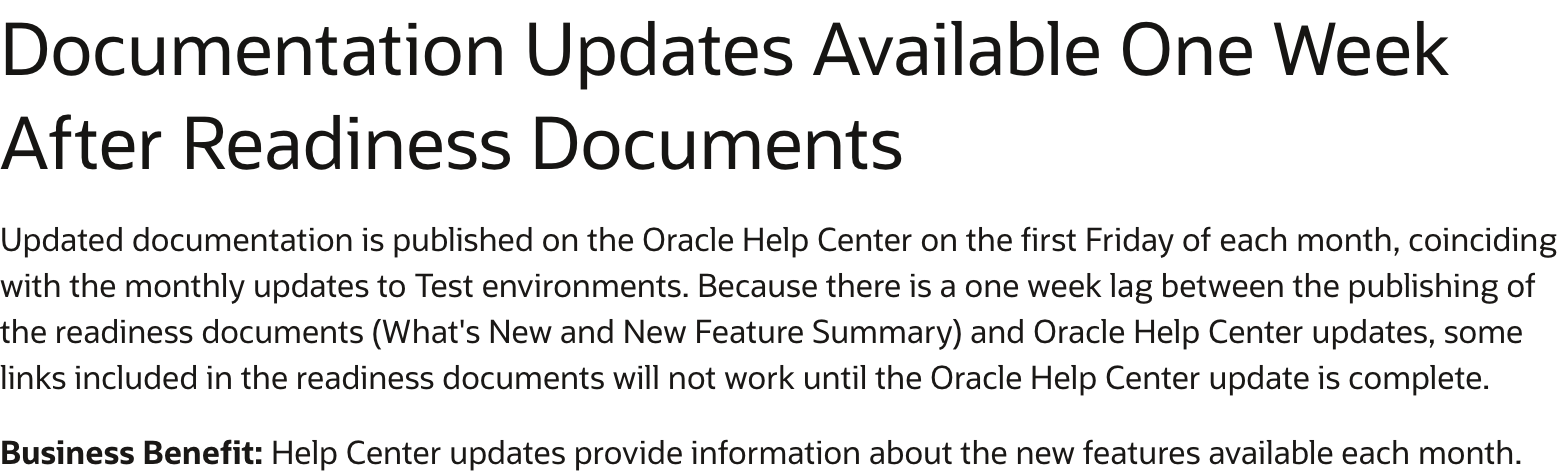
Oracle's note on the documentation lag. Links in the readiness notes stay dead until the Help Center update finishes.
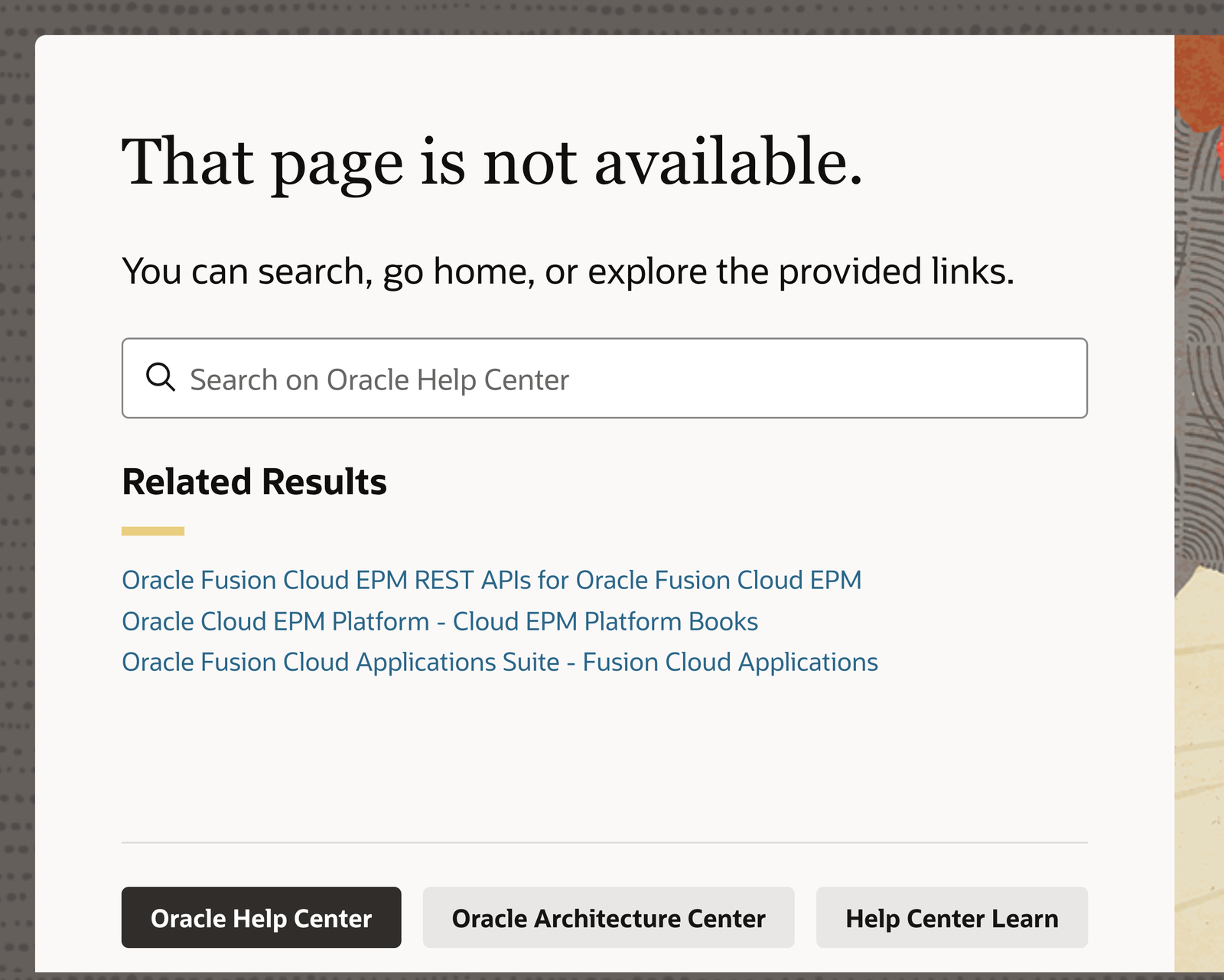
The page the readiness note links for Get Insight Details, captured November 3. The same URL still returned a 404 on November 13 and loaded on November 18.
Get Insight Details
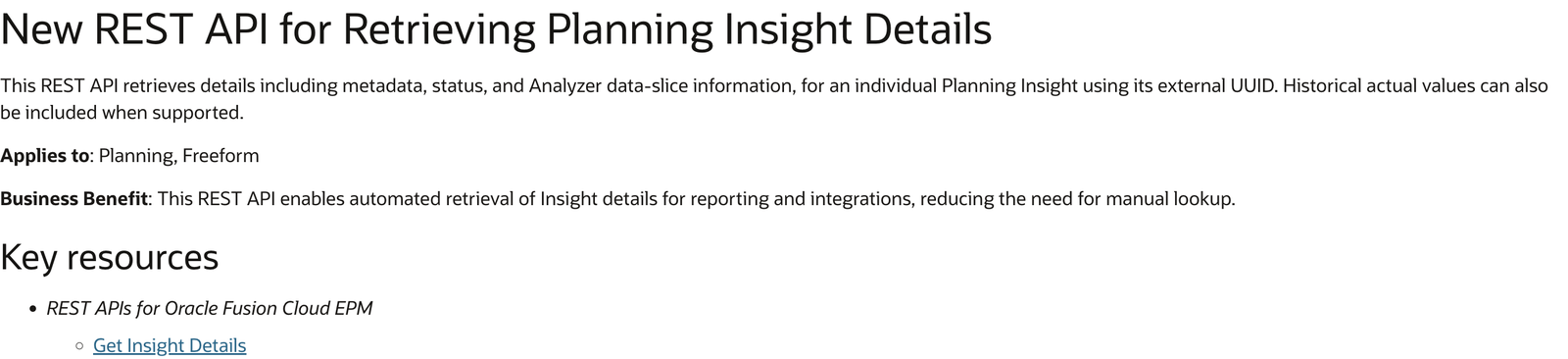
Get Insight Details reads one Planning insight by its external UUID. It returns metadata, status, and Analyzer data-slice information. When the insight supports them, it also returns historical actuals. It applies to Planning and FreeForm, and there is nothing to enable.
This is the third update in a row with new insights APIs.
In 26.08, Oracle shipped Get Insights and Get Insight Summary so an agent could read insights. Both are live:
POST /HyperionPlanning/rest/v3/applications/{application}/insights
POST /HyperionPlanning/rest/v3/applications/{application}/insights/summary
Get Insights takes a slice, a plan type, and a retrieval mode of USE_EXISTING or FORCE_RECOMPUTE. Any authorized Planning role can read insights that already exist. Recomputing them takes Administrator or IPM Manage. The summary call takes insight ids or a slice, a word count, and a format of text, html, or json.
In 26.09, both calls started accepting display labels along with the enum names. The labels are Forecast Variance & Bias, Prediction, Anomaly, and Period Movement Variance.
26.11 adds the drill-down. You list insights, read one, summarize it, then analyze it. The reference page gives the path for the new call:
GET /HyperionPlanning/rest/v3/applications/{application}/insights/{insightId}Two identifiers are in play. The live Get Insights sample returns a numeric id, such as 426. Get Insight Details takes the external UUID, which comes from the v3 objects API, and the reference page says numeric ids are not accepted. Part 2 covers how to look the UUID up.
The 141 platform APIs include four insight calls: getInsights, getInsightById, executeInsightAnalysis, and getInsightSummary. Oracle still doesn't map those names to the reference pages, but the insights/{insightId} path lines up with getInsightById.
The new IPM Insights Assistant has a path called "Retrieve Insight detail by Insight ID." It takes an insight UUID, usually from an earlier retrieval. The assistant and this API do the same read.
Insights Analysis is the screen next to it. Oracle's line is that the insight says what happened, and Insights Analysis says why. Key Contributor Analysis shows where the variance sits. Variance Decomposition breaks it into price, volume, and mix, foreign exchange, or margin effects. It applies to FreeForm and Planning, and you have to enable Generative AI under Application, then Settings. Key Contributor Analysis only works at a parent that aggregates. Variance Decomposition works at every level, but it needs a supported relationship and the driver data.
Oracle's example traces a November FY24 anomaly to F-Series in the USA, which accounts for 380.46 of the 840.12 total.
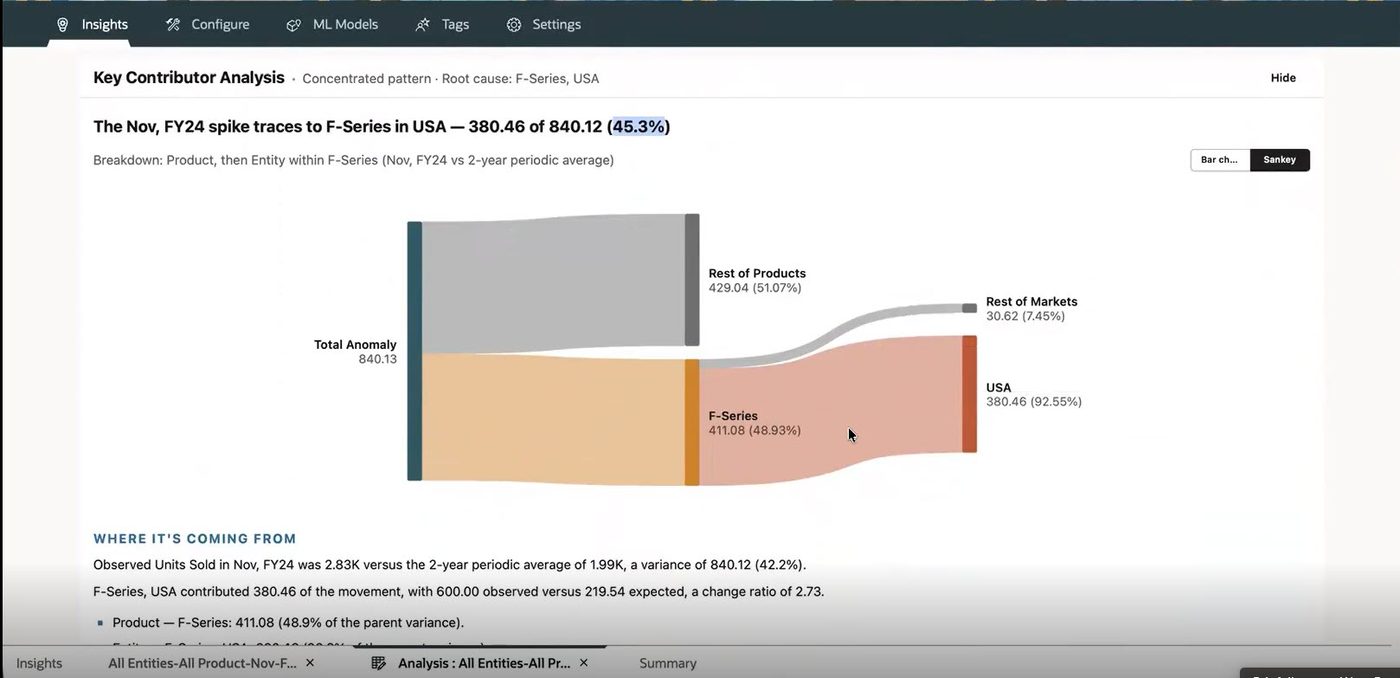
Oracle's Key Contributor example. F-Series, then USA, accounts for most of the anomaly.
In the margin example, cost explains 128.7 percent of a gross-margin drop for All Product in the USA, and the other effects offset part of it.
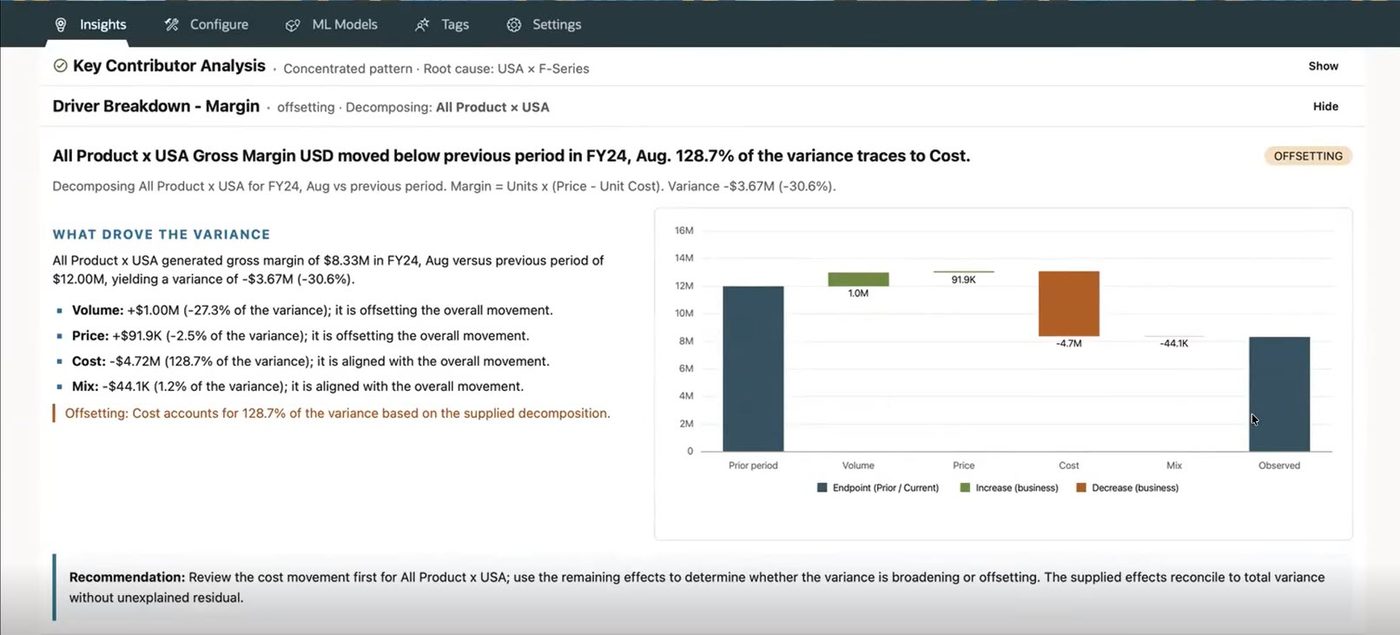
Volume, price, cost, and mix on one gross-margin insight. Cost is the effect that moves with the drop.
The API behind this screen is now documented as Execute Insight Analysis, at POST .../insights/{insightId}/action/analyze. It runs either analysis for one insight and needs Service Administrator. Part 2 has the request bodies for both methods.
Dashboard definitions and dashboard data
Nine new calls cover the dashboard definition and its data. The note says "Planning dashboard definitions," but the applies-to line is wider. It lists Account Reconciliation, Enterprise Profitability and Cost Management, Financial Consolidation and Close, FreeForm, and Planning. There is nothing to enable.
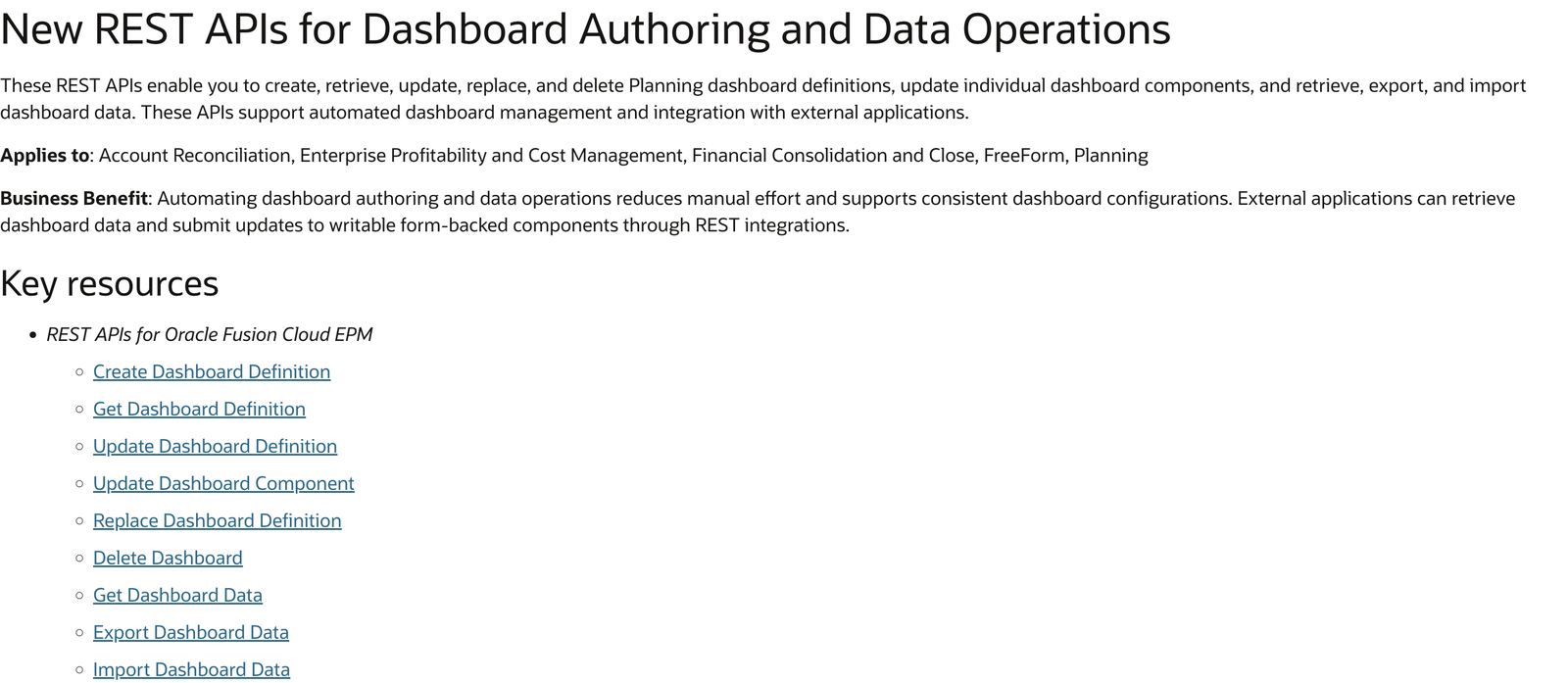
Six calls handle the definition: create, get, partial update, full replace, delete, and a partial update of one component. The note lists three for the data: get, export, and import. Import is the write, and it posts into components backed by a writable form. Oracle published reference pages for eight of the nine. Get Dashboard Data has no page, so export is the documented read.
| Call | Job |
|---|---|
| Create Dashboard Definition | Authoring |
| Get Dashboard Definition | Authoring |
| Update Dashboard Definition | Authoring, partial update |
| Update Dashboard Component | Authoring, one component |
| Replace Dashboard Definition | Authoring, full replace |
| Delete Dashboard | Authoring |
| Get Dashboard Data | Data, no reference page as of November 18 |
| Export Dashboard Data | Data |
| Import Dashboard Data | Data, writes to a writable form-backed component |
Paul Lewis asked the right question on November 2. He wrote, "I'd like to know what Oracle means by external applications. Is this going to give us the ability to have an EPM dashboard in Excel? What value does retrieving the data from a dashboard provide?"
The note says an outside application can read the dashboard data and submit updates to writable form-backed components. Export Form Data has done the read half of that for forms since 26.04, at GET /HyperionPlanning/rest/v3/applications/{application}/forms/{idorname}/data. These calls do the same for a dashboard. If a component sits on a form you can write to, import is how the outside app posts a change. The note never mentions Excel, so I would not promise an EPM dashboard inside a spreadsheet from this feature.
Check two things before you treat export as a harmless read.
The Platform Data Exploration skill note says form and dashboard exports can run configured load rules, so a read can change data on the server. The Export Dashboard Data reference page confirms it and says not to blindly retry an export. Keep that in mind before you schedule one.
In a later update, a Power User will need write access on a folder to create a form, dashboard, or subfolder in it. Today, read access is enough. Oracle has not said whether Create Dashboard Definition will enforce the same rule, but expect the API to follow the UI.
The reference pages say these calls support only the current Planning dashboard. Legacy dashboards, infolets, and composite forms are out of scope, so plan on Dashboard 2.0. The new Insights component also works only on Dashboard 2.0. In 26.09, Oracle moved Tax Reporting dashboards, and the predefined dashboards in Modules, Sales Planning, and Strategic Workforce Planning, to Dashboard 2.0. A Dashboard 2.0 can also be the landing page.
Top insights on a Dashboard 2.0 is the UI feature these calls sit next to. In the designer, you add an Insights component, then set the cube, priority, status, count, and type. The insights job has to have run first. With Generative AI on, each card shows the generated summary. With it off, each card shows the template summary. This feature applies to Enterprise Profitability and Cost Management, Financial Consolidation and Close, FreeForm, Planning, and Tax Reporting.
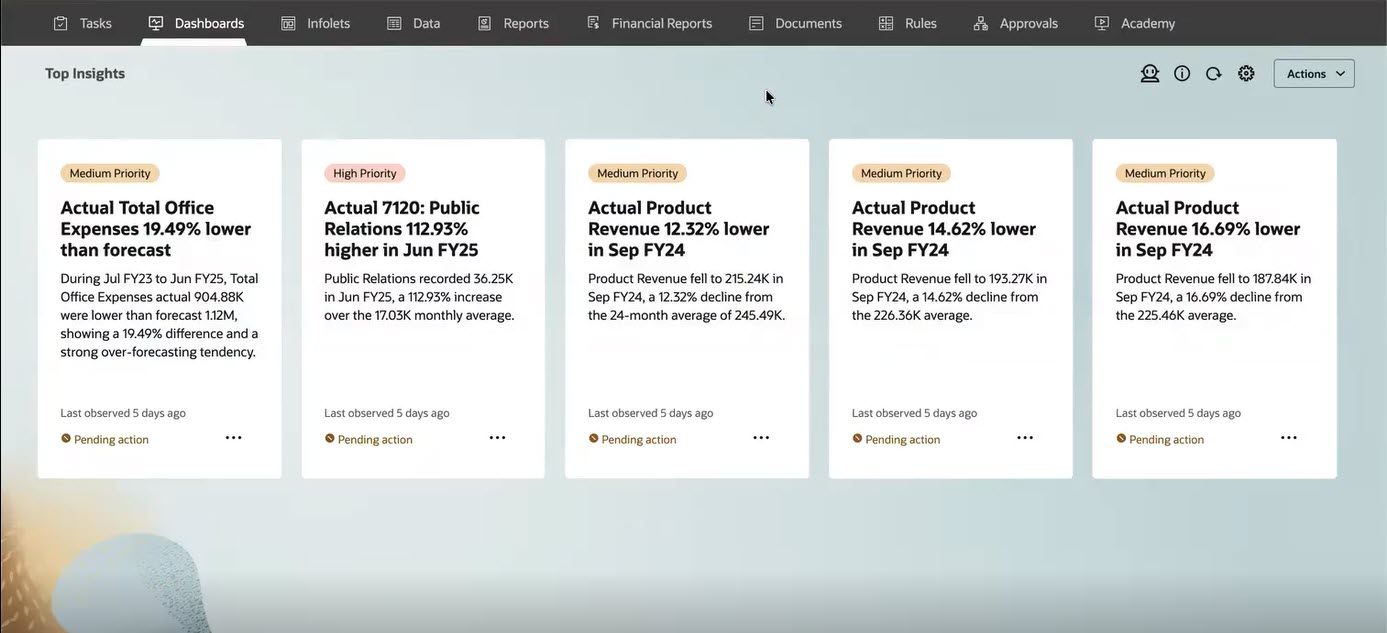
Five open insights on a landing-page dashboard, each with its priority, generated summary, and when it was last observed.
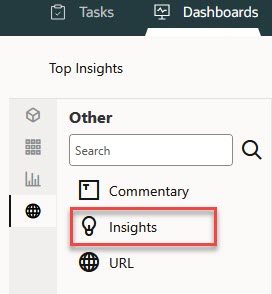
The new Insights component, next to Commentary and URL.
If you can get, replace, and patch a definition, you can keep dashboards in a repo and promote them from test to prod without a full snapshot. Oracle has published the definition JSON now, and part 2 walks through it, including the component keys that change after a create.
Worklist and worklist summary
Four calls read the worklist in one place. The item types are alerts, authorization requests, consolidation journals, enterprise journals, forms, reassignment requests, and schedule tasks. The list calls support filtering, sorting, field selection, and pagination. The summary calls return four counts: total, overdue, due today, and due in the next seven days. Each pair has a global version and a version for the current user.
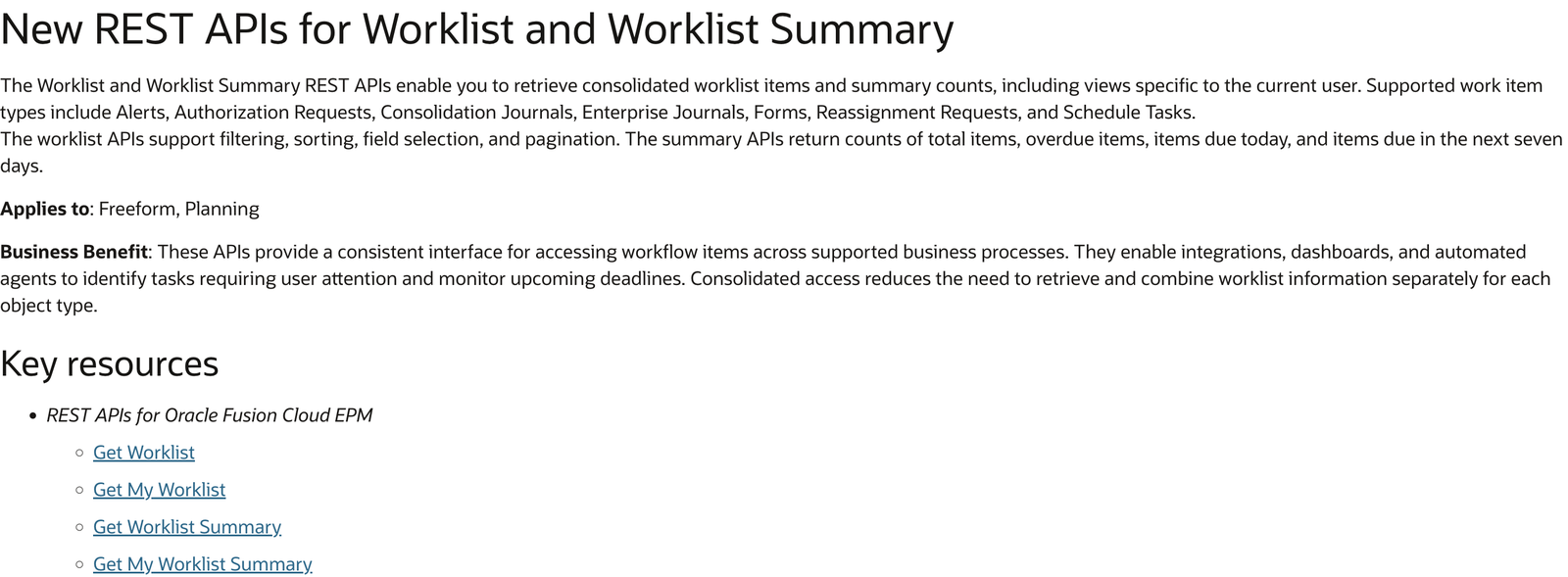
| Call | Who it is for |
|---|---|
| Get Worklist | All items, with filter, sort, fields, and pagination |
| Get My Worklist | The current user |
| Get Worklist Summary | Total, overdue, due today, due in the next seven days |
| Get My Worklist Summary | The same counts for the current user |
The applies-to line says FreeForm and Planning. With that said, the item types include consolidation journals and enterprise journals, and the reference pages start with trcs_, the Tax Reporting prefix. The published pages don't name business processes, and all four list Service Administrator as the required role, including the "my" calls. Until Oracle lists FCCS or Tax Reporting, don't count on this API there.
Financial Consolidation and Close and Tax Reporting did get a related UI change in this update. The new Redwood home page shows task counts by due date for the selected year and period, and clicking a count opens the Worklist. That answers the same question as the summary API, but Oracle does not say they share a service.
Approval units are a separate set of six calls on the platform list: list, get, history and annotations, promotion path, change status, and available actions. The worklist covers tasks and journals. Approval units cover the Planning promotion path. If you need everything that is waiting on someone, call both. Neither call returns the other's items.
141 platform APIs
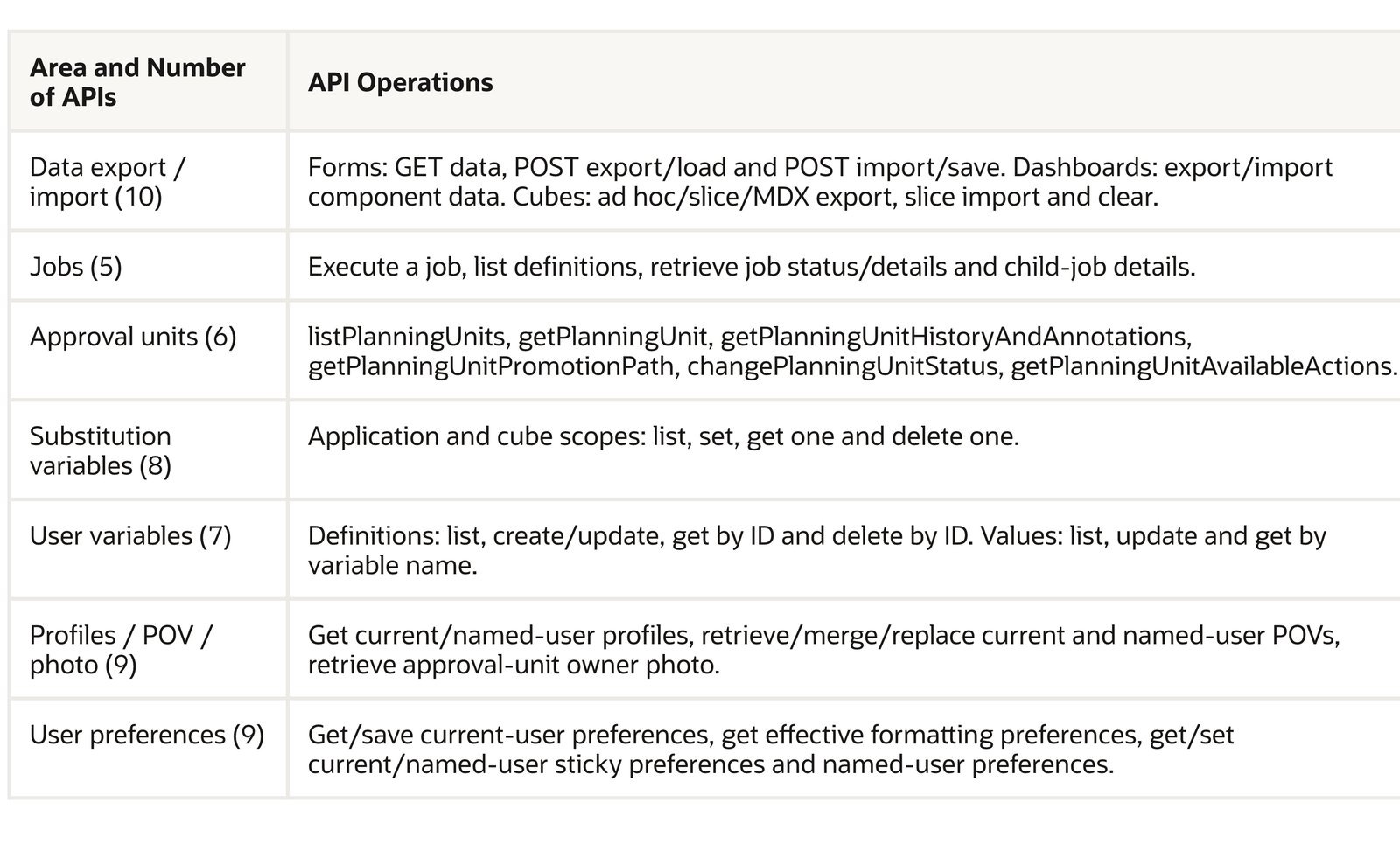
The platform set is 141 calls for FreeForm and Planning. Oracle says the Data Exploration agent skill uses them, and there is nothing to enable. The tables below are operation names from the readiness note, not request bodies.
The core platform group covers artifacts: applications, cubes, dimensions and members, Calculation Manager, form definitions, and dashboard definitions.
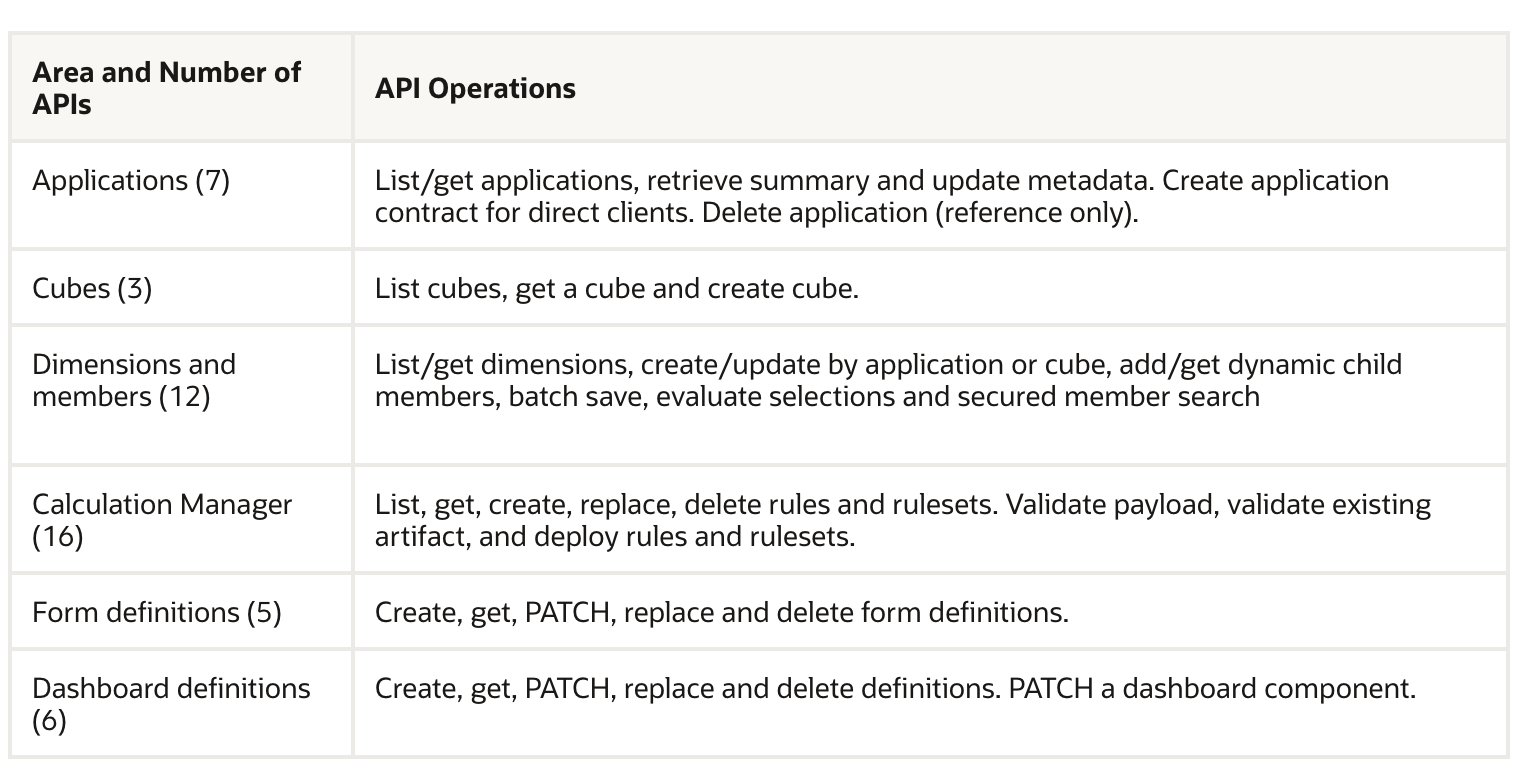
The data, workflow, and user context group covers data, jobs, approval units, substitution variables, user variables, profiles, and preferences. The data row matters most. Forms get a data read, an export, and an import. Dashboards get component export and import. Cubes get an ad hoc or slice export, an MDX export, a slice import, and a clear.
The semantics and intelligence group covers Business Concepts, the insight calls, the IPM calendar, and service connections.
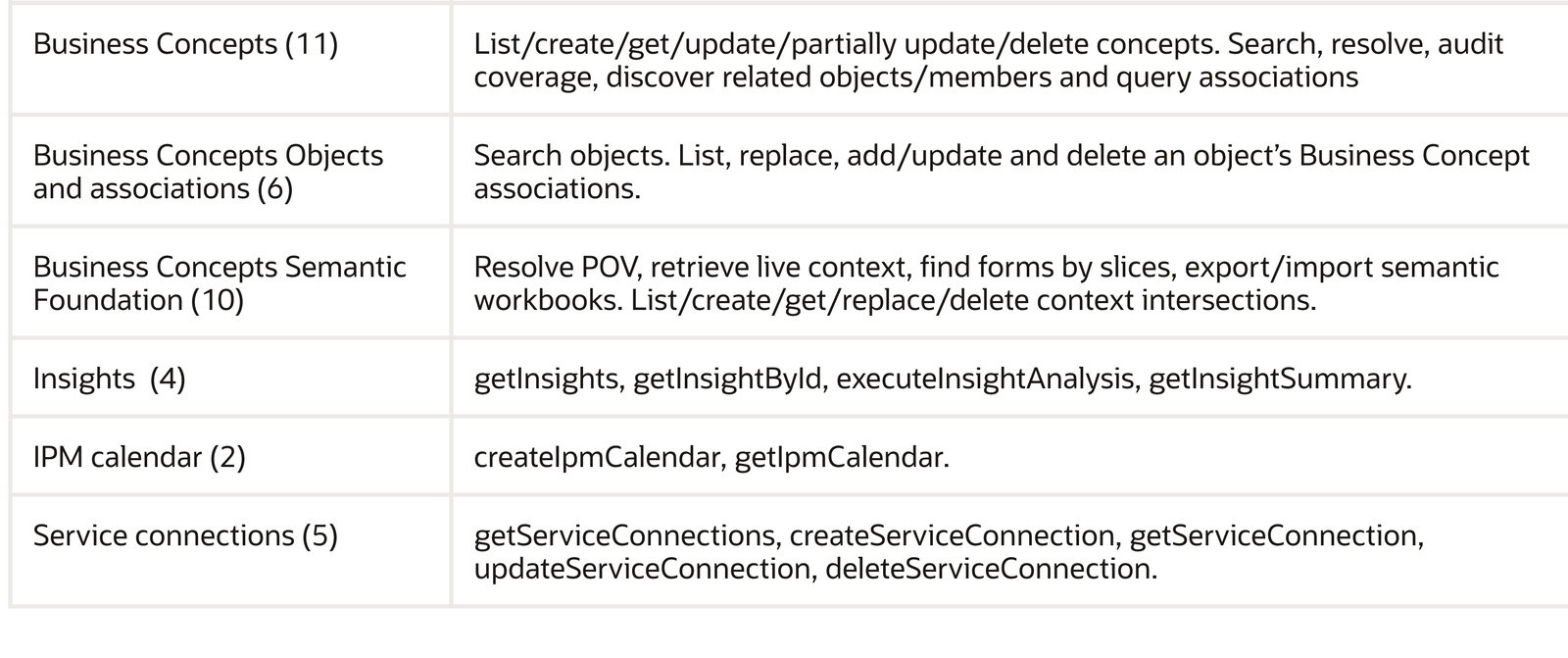
If you promote rules with a script, look at the Calculation Manager row in the first table. It lists list, get, create, replace, and delete for rules and rulesets, plus validate and deploy. That would let you move one changed rule instead of migrating a whole calc artifact. Check the reference page for the payload before you build on it.
33 Strategic Modeling APIs
Strategic Modeling adds 33 calls for Planning and FreeForm. They feed the Strategic Modeling agent skills, and some writes are disabled.
| Area | What you can call |
|---|---|
| Models and context, 8 | List models, rollups, and templates. Read properties, custom dimensions, and periods. |
| Accounts and audit, 3 | getAccounts, getAccountDetail, getAuditTrail |
| Reports, 2 | getReports, getReportData |
| Values and export, 2 | getAccountValues, exportDataSlice |
| Goal Seek, 1 | executeGoalSeek, read-only |
| Scenarios, 7 | Read with getScenarios and getScenario. Approved writes are createScenario, importDataSlice, and calculateScenario. updateScenario and deleteScenario are disabled. |
| Rollups, 7 | Read with getRollupInfo, getBusinessCases, getBusinessCase, and getStatus. addBusinessCase, deleteBusinessCase, and executeRollup are disabled. |
| Templates, 3 | getProperties, getAccounts, getAccountDetail |
Updating or deleting a scenario and running a rollup are all disabled in this update. Do not plan a demo around them.
Activity reports, access logs, and connections
Activity reports and access logs get four v2 calls. You can list the reports, get one as JSON, list the access logs, and get log rows as CSV. You can filter the listings by date and set the sort order. Access-log rows can also be filtered by time range, user, screen, and action. These calls apply to Account Reconciliation, Enterprise Data Management, Enterprise Profitability and Cost Management, Financial Consolidation and Close, FreeForm, Narrative Reporting, Planning, Profitability and Cost Management, and Tax Reporting.
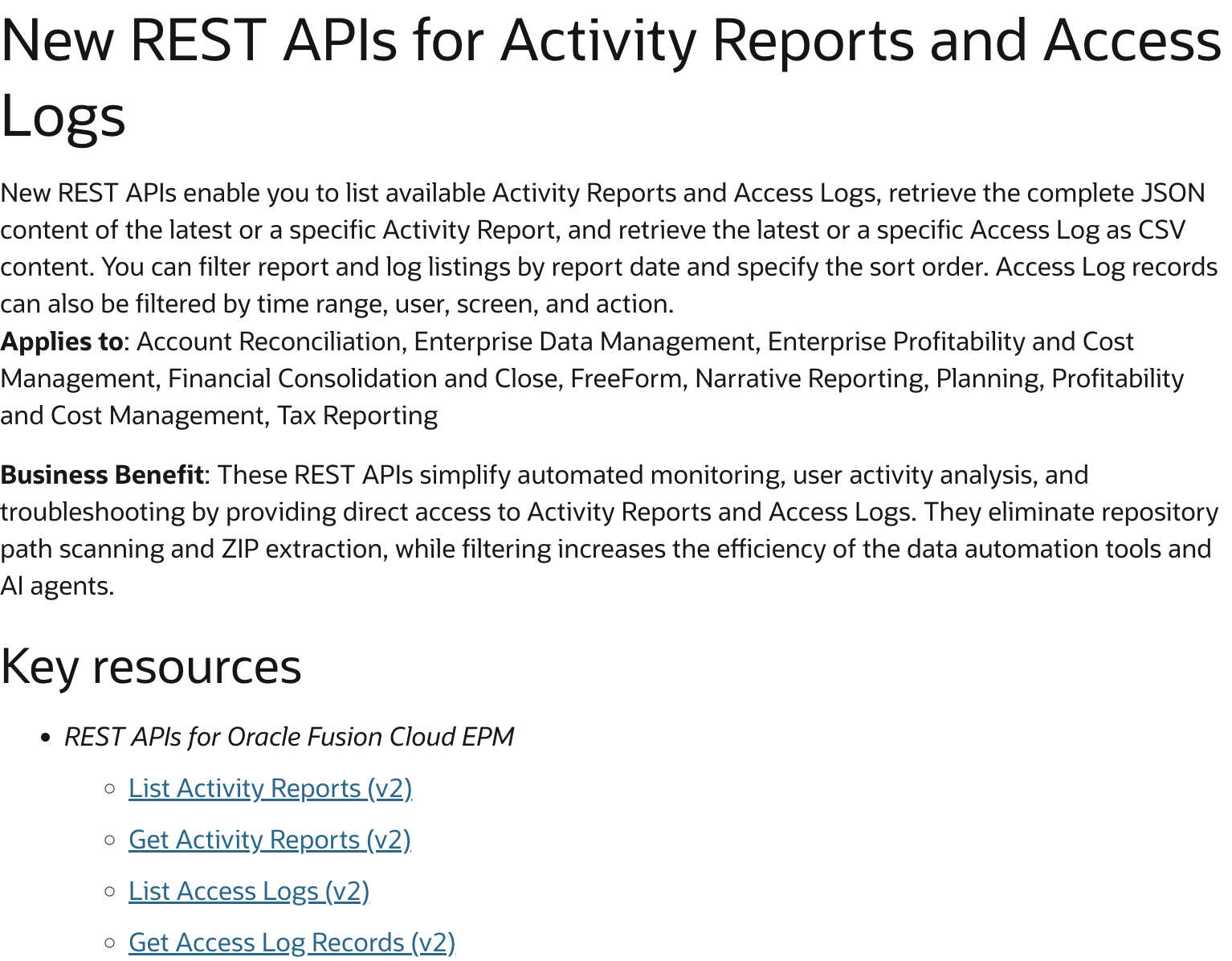
Connections get create, get, update, and delete calls for a Service Administrator. The supported types are EPM, NetSuite, Oracle Fusion Apps, and Other Web Service Providers. OAuth 2.0 works where the provider supports it. A get never returns credentials or other secured values. These calls apply to Planning, FreeForm, Financial Consolidation and Close, and Tax Reporting.
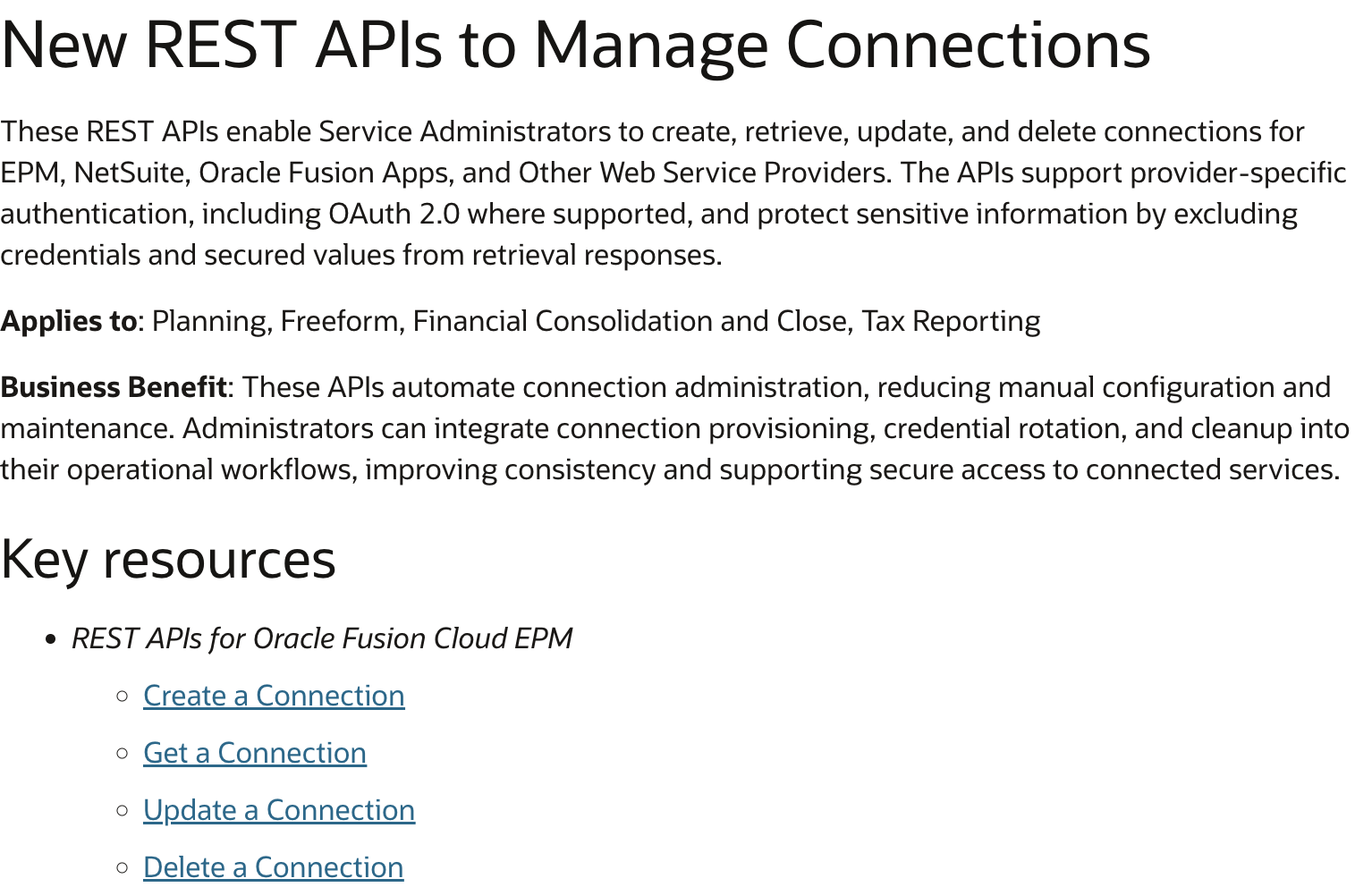
Data Integration got related connection changes this month. Cross-environment connections can use OAuth 2.0. There is a new Oracle Fusion Application Cloud provider type. NetSuite connections for NSPB Sync and the EPM Connector can use the authorization-code grant. The connection APIs can now create those from a script, and part 2 has the payloads. IP addresses in connection URLs are also going away, which is covered below.
The rest of the API list
These changes are smaller, but each one touches a script someone already runs.
| Change | Where |
|---|---|
| Role Assignment Audit, Group Assignment Audit, User Login, and Invalid Login reports accept a number of days ending today, in REST and EPM Automate, instead of a date range | All business processes |
Download APIs keep non-ASCII file names, such as Japanese names, through a UTF-8 filename* in Content-Disposition | All |
simulateConcurrentUsage can run more than one independent simulation at a time on one environment | Financial Consolidation and Close, FreeForm, Planning, Tax Reporting |
| New Linux and PowerShell samples clone a standby environment from the primary's latest backup | All |
| MDX data export runs a custom MDX query and returns a JSON grid without saving a form | FreeForm, Planning |
| Export Application Data can include shared members on an ASO cube | Enterprise Profitability and Cost Management, Financial Consolidation and Close, FreeForm, Planning, Tax Reporting |
| New APIs for formats, reconciliations, transactions, amounts, action plans, comments, and attachments | Account Reconciliation |
Import Pre-Mapped Transactions accepts onEmptyFile. Set it to warning so an empty file no longer fails the job. The default is still error | Account Reconciliation |
| Create a consolidation journal, or update one still in Working status. If you leave out the label, one is generated | Financial Consolidation and Close |
The MDX export ships with a new MDX query editor for forms. Oracle aimed both at customers moving from Essbase to FreeForm. Calculation Manager also accepts calc-script tuple syntax in this update. The tuple has to come first, and it can only contain sparse members.
The login prefix is gone
This change breaks scripts. Test pods have had it since November 6, and production gets it on November 20.
Starting with 26.11, the EPM Automate login command and REST no longer accept a user name in the form accountName.userName. Send [email protected], not [email protected]. The change applies to every business process.
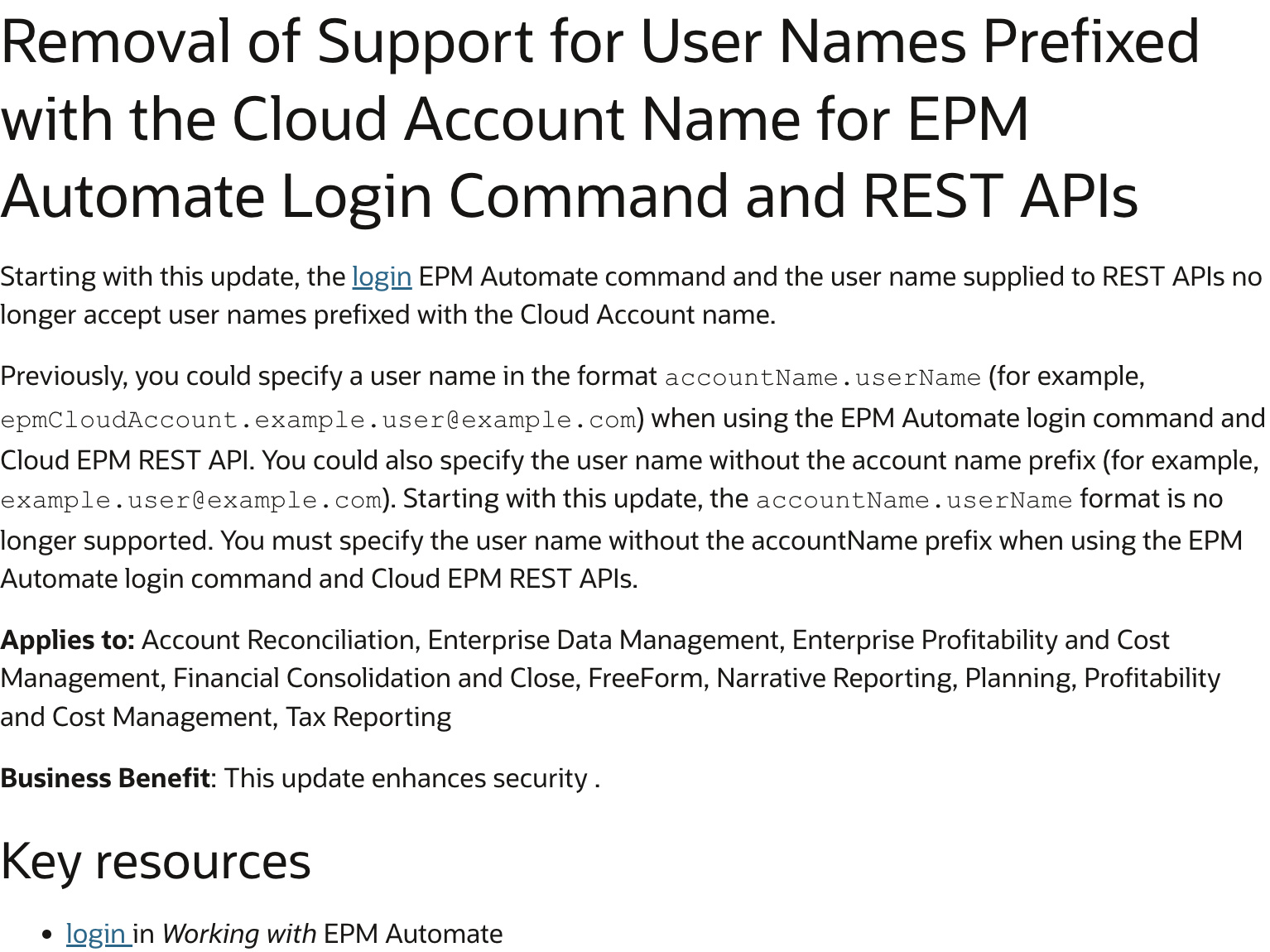
Oracle's only stated reason is "This update enhances security." Search your jobs, Groovy, and CI for a Cloud Account name and a dot in front of the user name. Any login in that form fails once the pod is on 26.11.
Fix these before December
Two deadlines are closer than they look in the feature list.
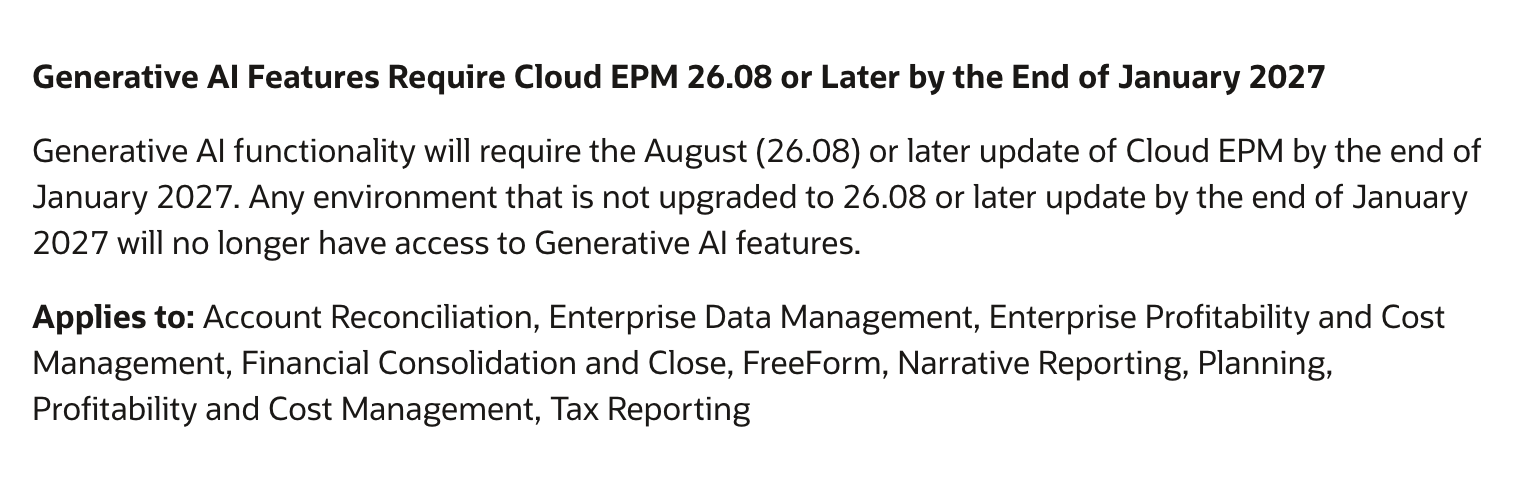
Generative AI features require Cloud EPM 26.08 or later by the end of January 2027. An environment still behind 26.08 at that point loses Generative AI. If you skip updates, plan around this one. Insights Analysis and the generated insight summaries both depend on it.
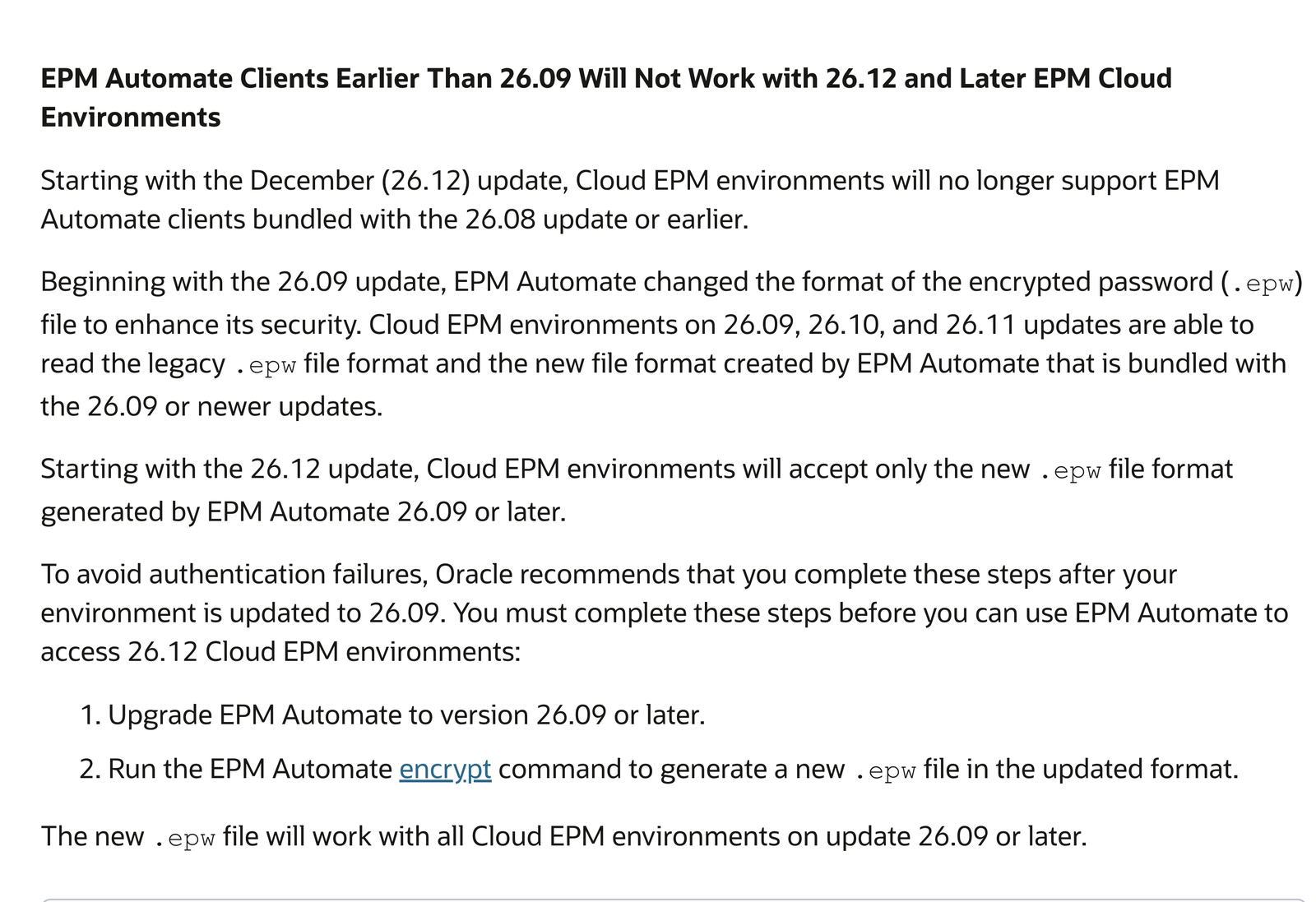
EPM Automate clients from 26.08 or earlier will not work against a 26.12 environment. 26.09 changed the .epw format. Pods on 26.09, 26.10, and 26.11 still read both the old and new files. 26.12 reads only a file made by EPM Automate 26.09 or later. Upgrade the client, run encrypt, and replace the .epw. If EPM Agent uses that file, keep the older .epw until the agent is on 26.10. That detail is easy to miss, and rotating the file too early is what breaks the agent.
On Linux and UNIX, EPM Automate has used JDK 21 since 26.10 when JAVA_HOME points at it. JDK 17 still works if 21 is not installed. Support for JDK 17 is deprecated in the January 2027 update, 27.01, so move those hosts to JDK 21 before then.
A later update will block new or edited connection URLs that use an IP address. Switch them to host names before the Manage Connections page starts refusing them.
A later update will also require write access on a folder before a Power User can create a form, dashboard, or subfolder in it. Today, read access is enough. This applies to Enterprise Profitability and Cost Management, Financial Consolidation and Close, FreeForm, Planning, and Tax Reporting.
Another later update changes ASO grid suppression for grids built in Groovy with DataGridDefinitionBuilder and for the export-data-slice REST API. Today, setting suppressMissingBlocks to true makes the grid use an MDX NON EMPTY clause. After the change, suppressMissingRows turns on NON EMPTY, and suppressMissingBlocks is ignored. This applies to Financial Consolidation and Close, FreeForm, Planning, and Tax Reporting. If you have ASO Groovy that sets those two flags differently, test it once Oracle names the month.
A few earlier rules still apply. Since 26.04, trailing Unicode whitespace is trimmed from member and alias names. Also since 26.04, a snapshot import fails on an Essbase reserved word or on sibling names that are not unique. Since 26.08, an unclosed Groovy grid warns at validation.
One policy change takes effect with this update. One-off patches and Skip Update are limited to 3 months, or to 6 months with Oracle's approval.
The rest of 26.11
The new APIs are what Oracle's agent features run on. The same update shipped EPM Agent Skills and a set of Fusion AI Agent Studio assistants.
Eleven infrastructure skills cover access reports, environment and maintenance, Essbase block analysis, Essbase data export, files and object storage and SFTP, identity and access, migration and snapshots, query governor settings, security administration, simulate concurrent usage, and user activity reports. Most operations that change state need explicit approval before they run. The Platform Data Exploration skill answers questions about applications, cubes, dimensions, members, forms, dashboards, and Planning values, and its writes are disabled. The Strategic Modeling skills cover model exploration, trends, scenario comparisons, driver analysis, read-only Goal Seek, approved scenario creation, and EPS alternatives.
The assistants are templates. The IPM Insights Assistant retrieves an insight by id, by business context, or from the open list. Account Reconciliation has a Transaction Matching Configuration Assistant that builds or extends match types from an uploaded template. Enterprise Profitability and Cost Management combines the older interrogation and calculation assistants into one PCM Assistant, and its list-rule commands now work with Mass Edit. Financial Consolidation and Close has a Configurable Consolidation Rules Assistant, plus a Data Retrieval Diagnosis Assistant for slow forms and ad hoc grids.
Outside the agent work, these are the product changes worth knowing about.
Financial Consolidation and Close can add up to four more consolidation cubes to a Hybrid DSO application. The home page is now Redwood. Metadata validation moves to the Recommendations page, and Oracle rates that change larger scale.
Account Reconciliation can filter in natural language. Holiday rules move to a Redwood page, also rated larger scale. "Data Loads - Manage" is renamed "Balance Loads - Manage."
Tax Reporting adds SBIE average translation automation for Pillar Two, a Redwood home page, insights on forms and dashboards, and an IPM Manage granular role.
Narrative Reporting can publish PDF/UA-1 and keeps alt text in report packages. Its Smart View extension adds @mentions in review comments and multi-select embed.
Planning can hide the Key column in the Strategic Modeling Account View.
Smart View 26.200 adds Period Movement Variance insights, contextual insights on forms, PowerPoint report work, better member search, Flex Form open options, and a WebView2 health check.
Before November 20, check every job that logs in as accountName.userName, because test has been on 26.11 since November 6.
Comments
Plain text only. No account needed — blank name shows as Anonymous. You can reply once under any top-level comment.
Loading…