


Oracle EPM Agent Skills in Claude: reads, writes, and approvals
What Oracle's EPM agent skills do once they're in Claude: real reads against a test pod, and how writes stop for an approval ID before they change anything.
Share on LinkedIn
Part 1 got Oracle's EPM AI Skills into Claude and ended with one question: when does the maintenance window start? This part asks more.
The skills sort every request by what it does to the pod. A read runs right away. Anything that changes the pod stops first and gives you an approval ID, and nothing goes to Oracle until you send that ID back. I split this post the same way.
- Reads ran for real against a test pod, in the same chat as Part 1, so the
epm-test.txtBasic auth file was already attached. Each one has the prompt, what Claude did, and the answer. I blurred user names, client application names, and client file names. Everything else is what came back. - Writes did not run. I didn't want to change a real pod for a blog post. The approval screens are mockups, and each one has a "Mockup" badge. The approval IDs, operation IDs, endpoints, and request bodies in them aren't made up, though. They come from running the skill's own approval step against a pod URL that doesn't exist. That step builds the request locally and stops before it sends anything. More on that below.
I ran the reads on claude.ai in the browser, signed in to the same account as the desktop app. Uploaded skills follow your account, so the chat and the skills are the same in both.
Read: snapshots and files
Snapshots and inbox and outbox files pile up over time. This is a good first question for a pod you haven't looked at in a while.
Using the same EPM Test config, list the snapshots and files in the EPM Test repository, newest first.Claude loaded epm-core, rebuilt the Basic session from the attached file, and ran six commands. The skill's operation for this is infra.snapshots.list, which lists "application snapshots and repository artifacts" together. Claude split them, converted the times to Eastern, and grouped the files by folder.
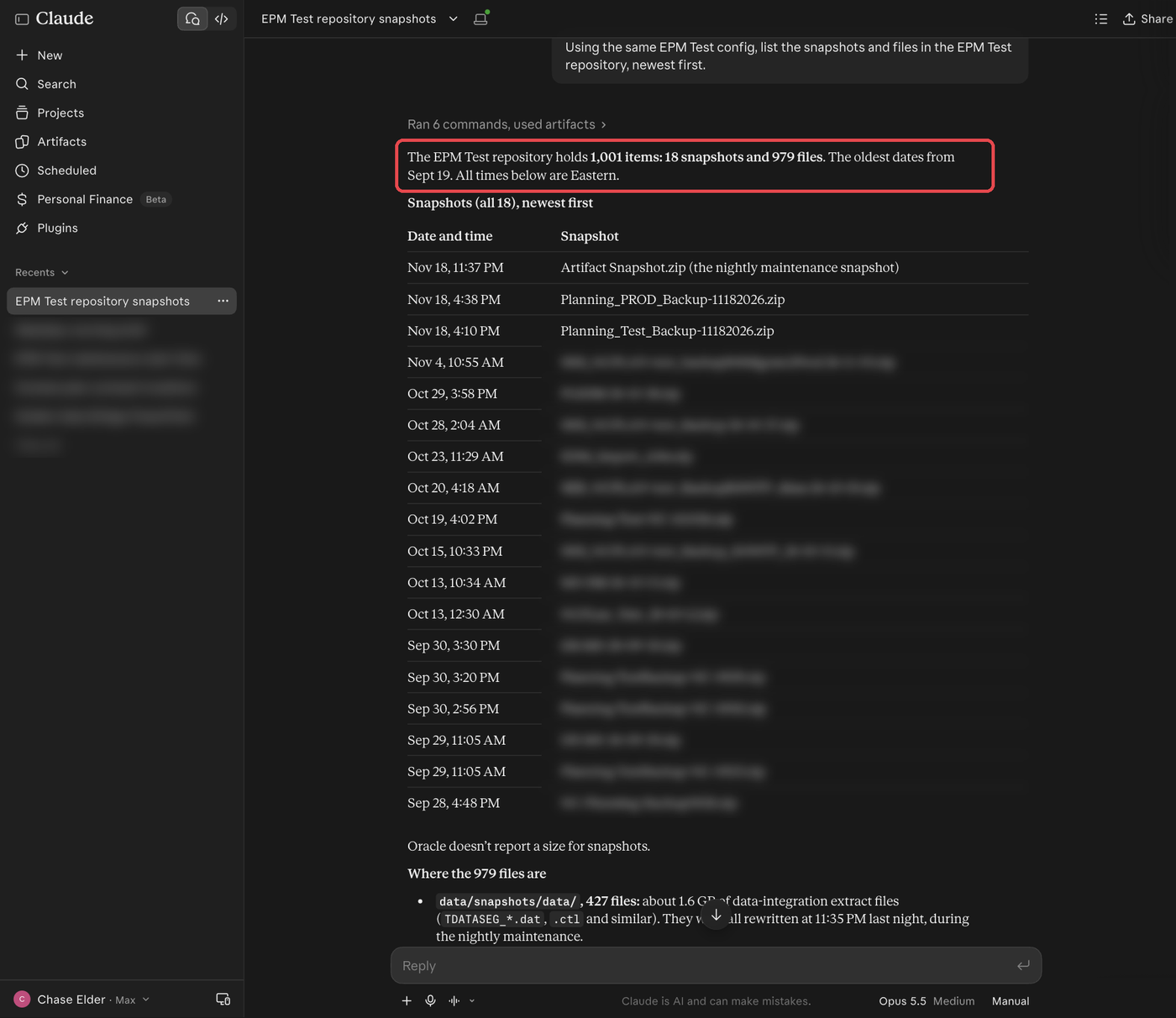
1,001 items. I blurred the snapshot names that identify the client. The top three are the nightly maintenance snapshot and two backups from yesterday.
It also did something I didn't ask for. It compared file sizes and found one forecast extract stored three times:
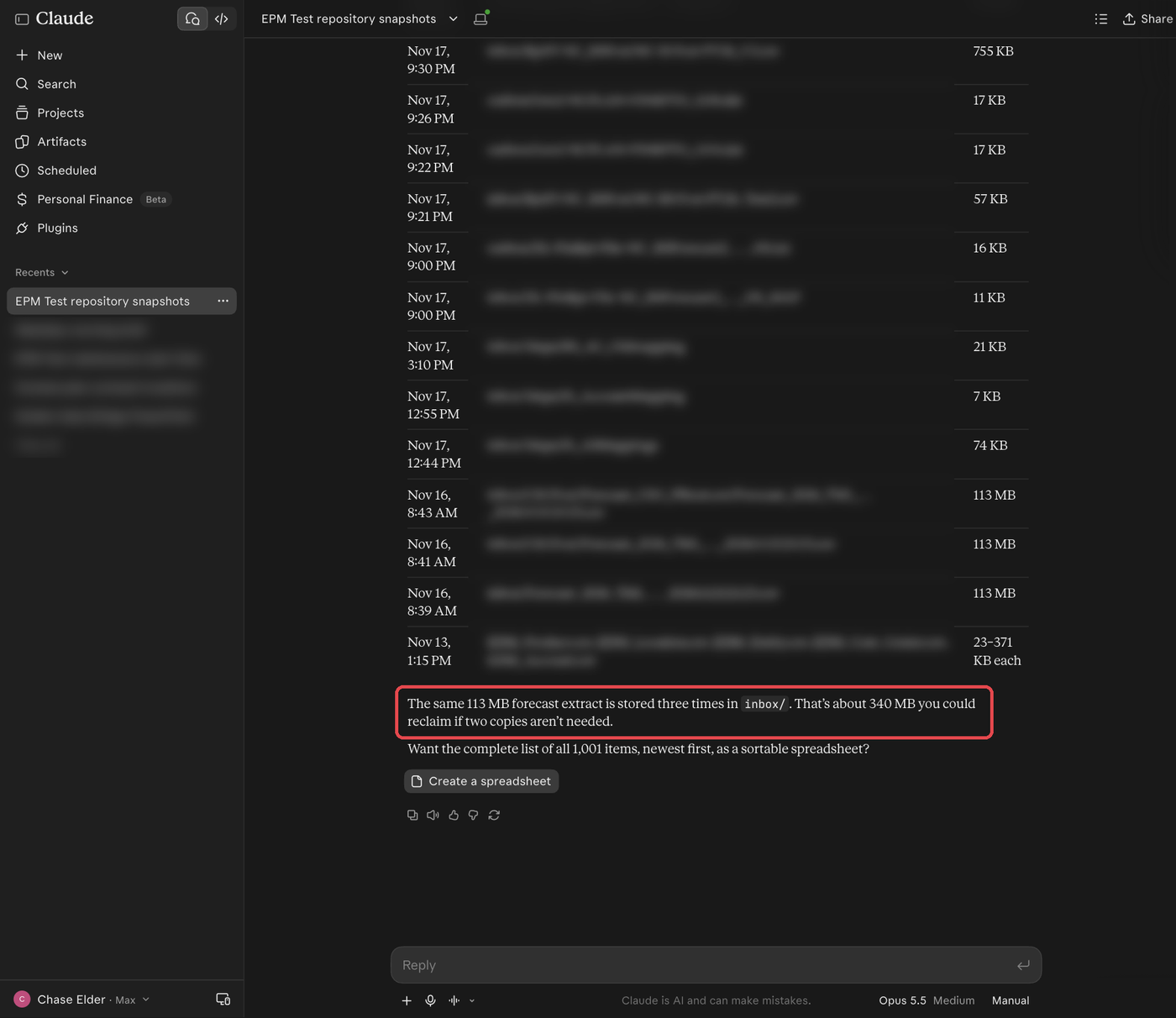
Three copies of the same 113 MB file, in three places under inbox/.
The answer ends with an offer to put all 1,001 items in a sortable spreadsheet. That's Claude's own file tool, not part of Oracle's skill, and it's useful when someone asks for a list of every snapshot on a pod.
Read: the Activity Report
The Activity Report is the one I'd use most. Oracle writes one every night, and it's long enough that it rarely gets read.
Get the latest Activity Report for EPM Test and summarize it: how many users were active, the slowest requests, and anything that looks off.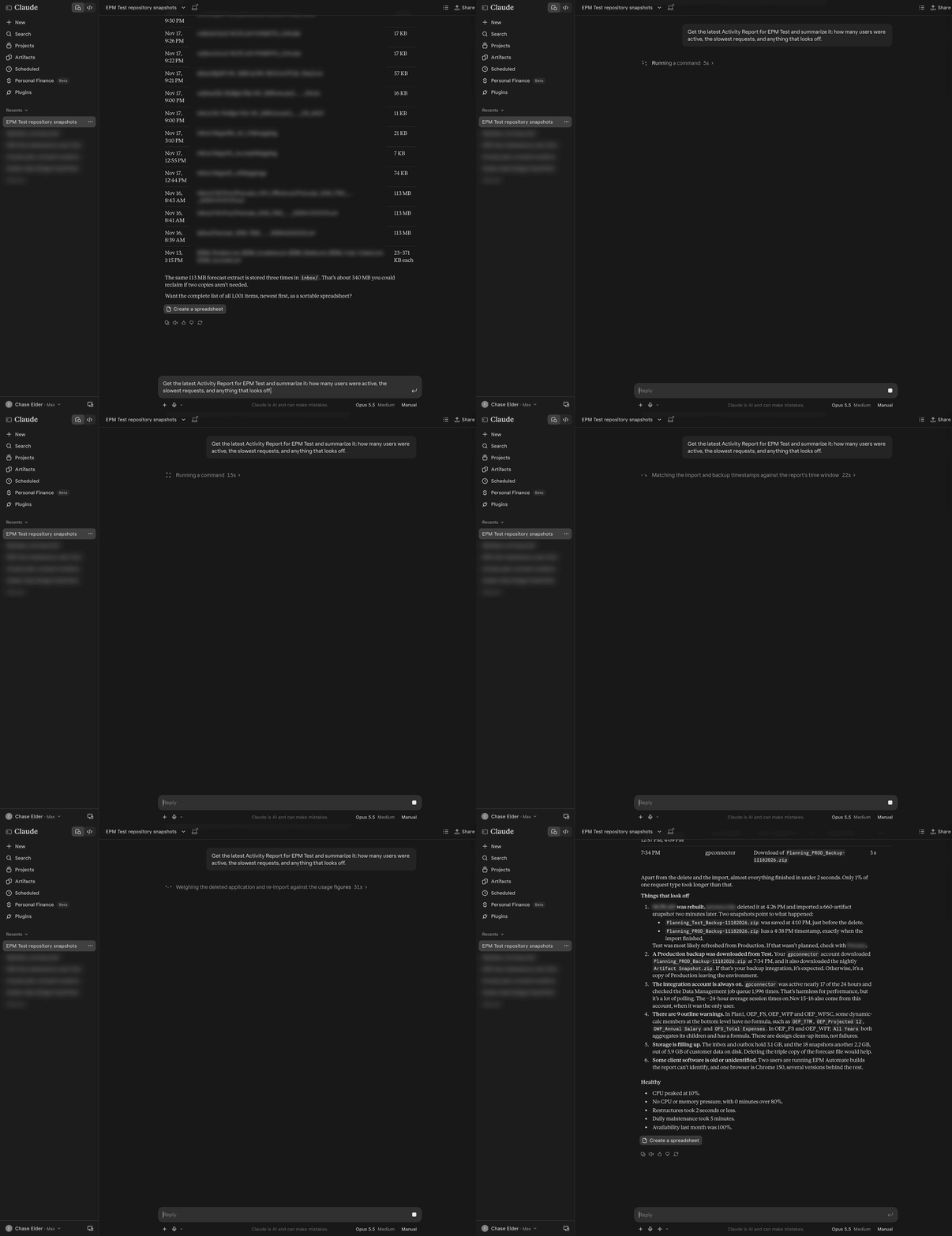
It took about a minute and ran five commands. The skill has six read-only operations for access logs and activity reports, and one of them, infra.activity-reports.latest, gets the newest report.
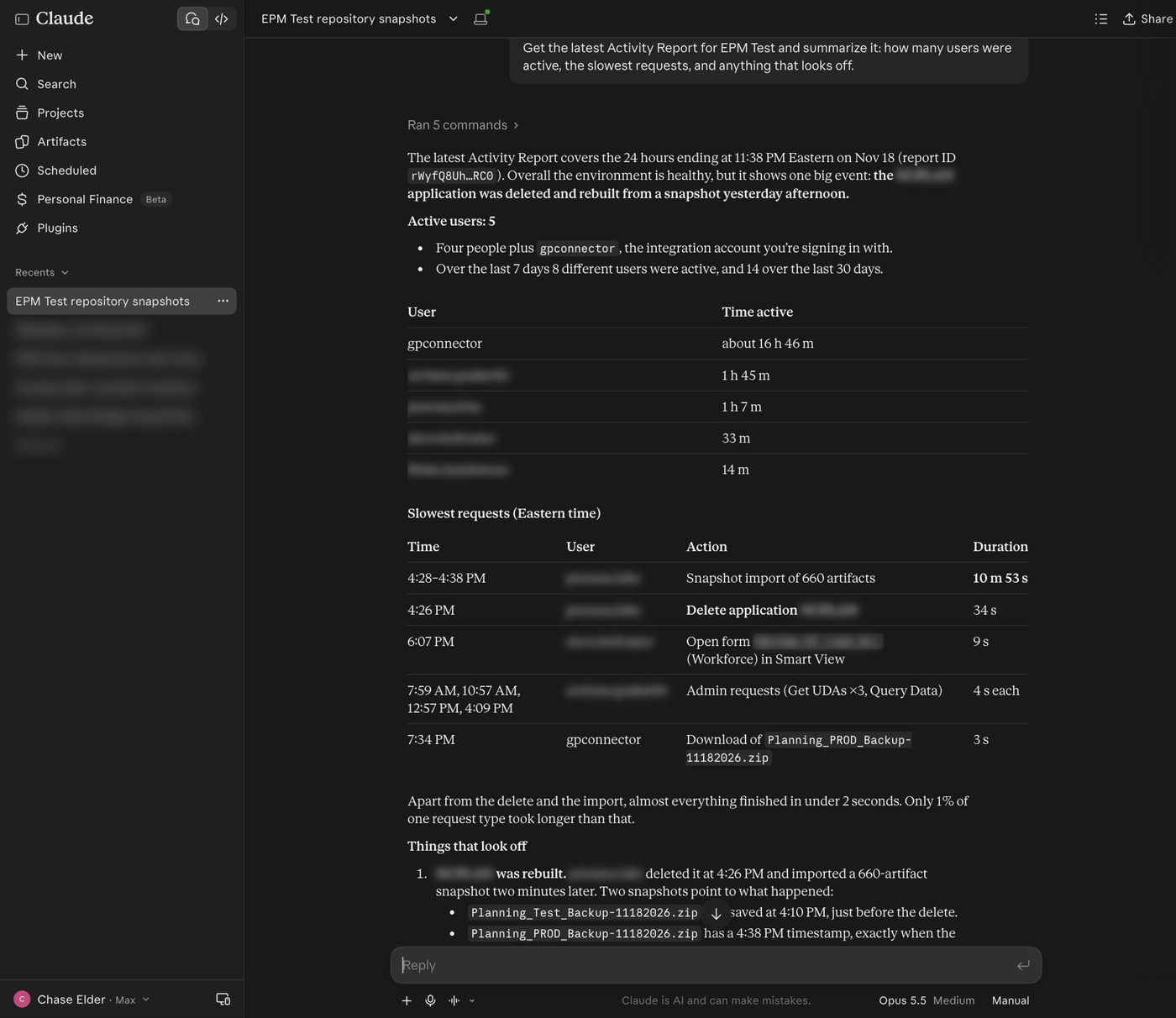
User names and the application name are blurred. gpconnector is the service account in my config file.
The summary is fine, but the "Things that look off" section is why I'd use this:
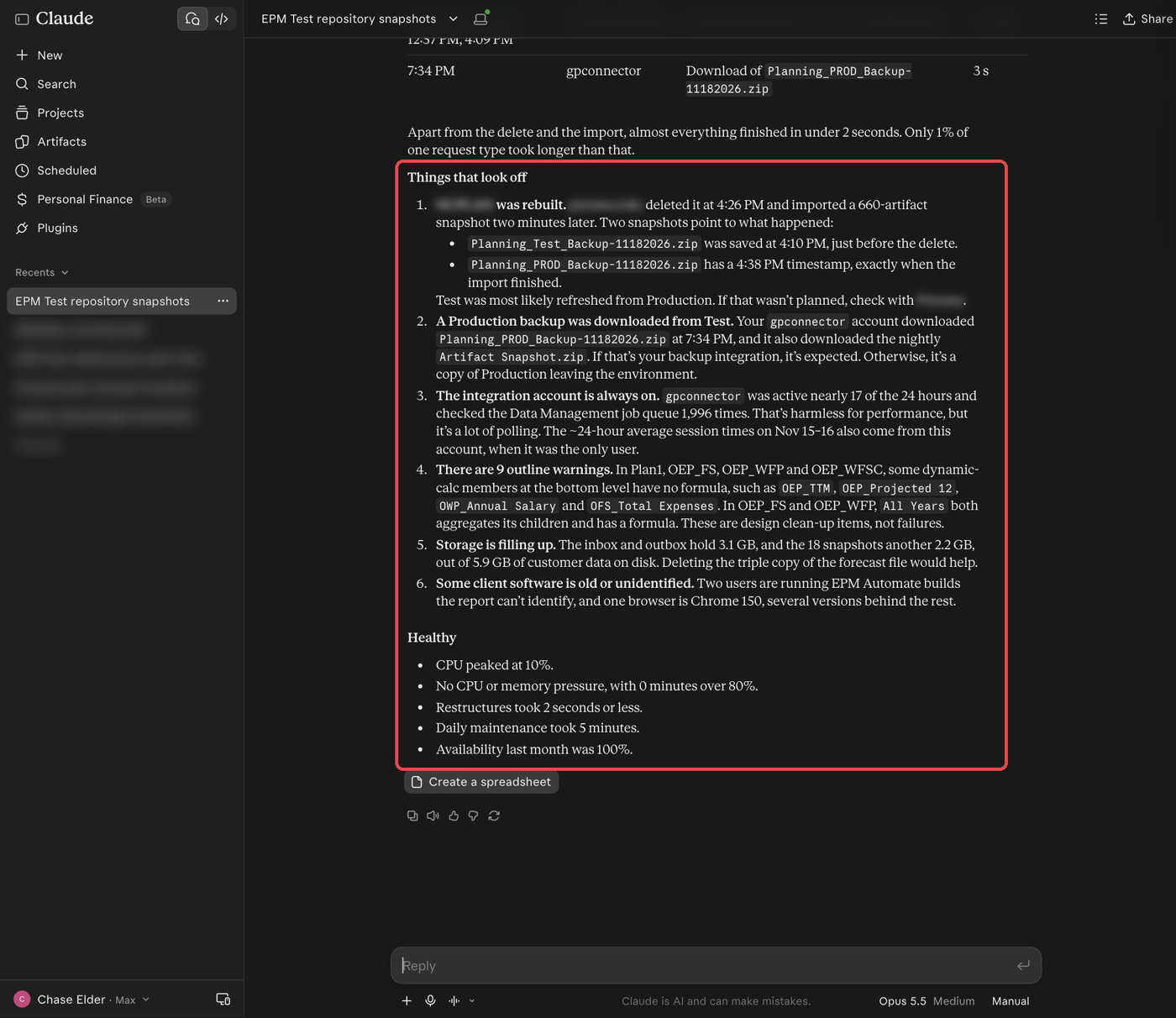
It matched the delete and the import against two snapshots from the first answer, and worked out that Test was probably refreshed from Production.
Treat this list as things to check, not conclusions. The delete and the import are in the report with times and a user. "Test was most likely refreshed from Production" is Claude's guess from the snapshot names and times. For the Production backup download, Claude says it's expected if that account is a backup integration, so it's asking the question rather than raising an alarm. I'd rather it flag these and let me dismiss them than say nothing.
Read: Planning substitution variables
The first two reads used epm-core. This one needs epm-planning, the other half of the split from Part 1. You don't pick the skill yourself. Name the Planning object you want, and Claude loads the right one.
Switch to Planning on EPM Test. List the substitution variables with their current values and which plan types they apply to.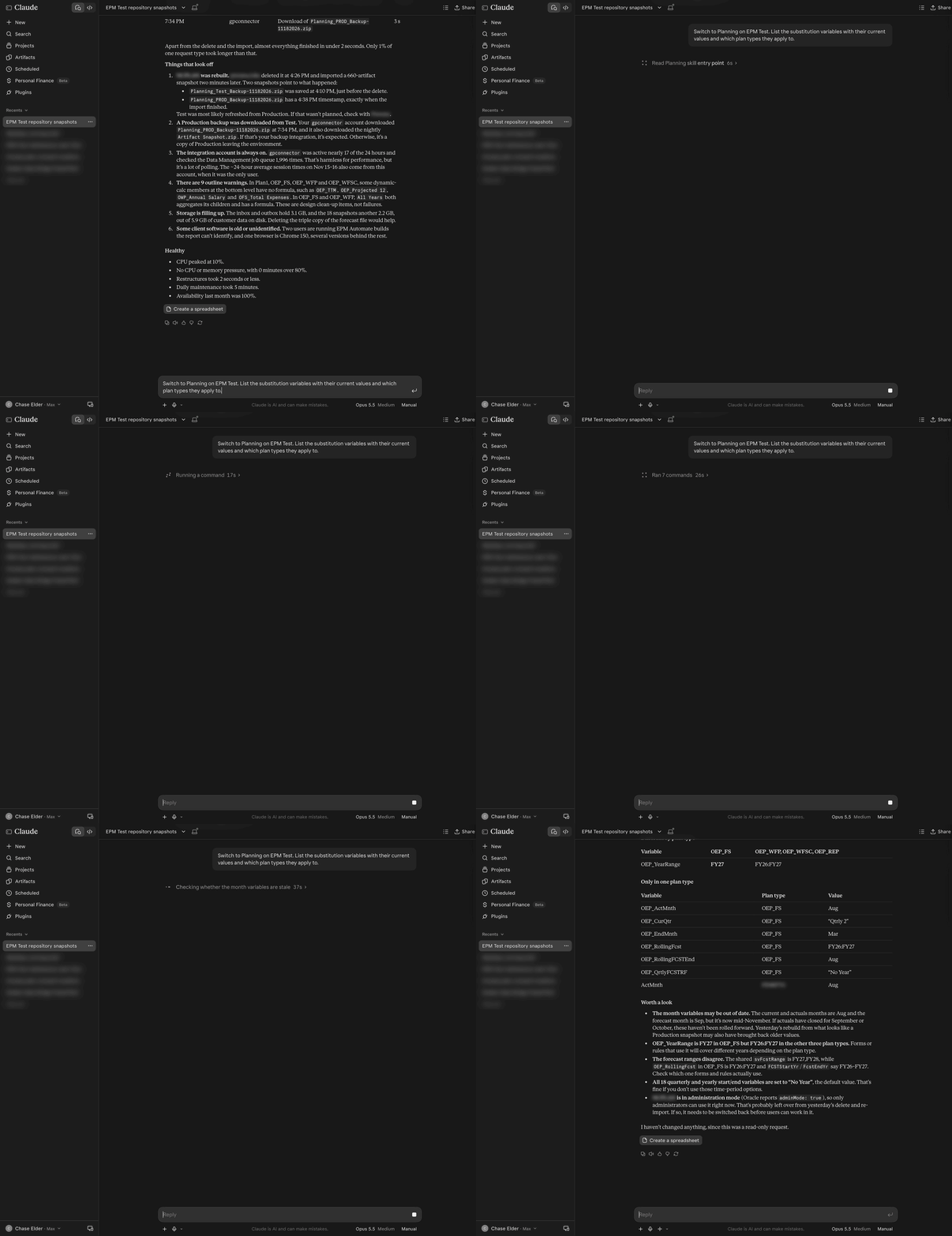
It took about 40 seconds. Open the "Ran 8 commands" line to see each step:
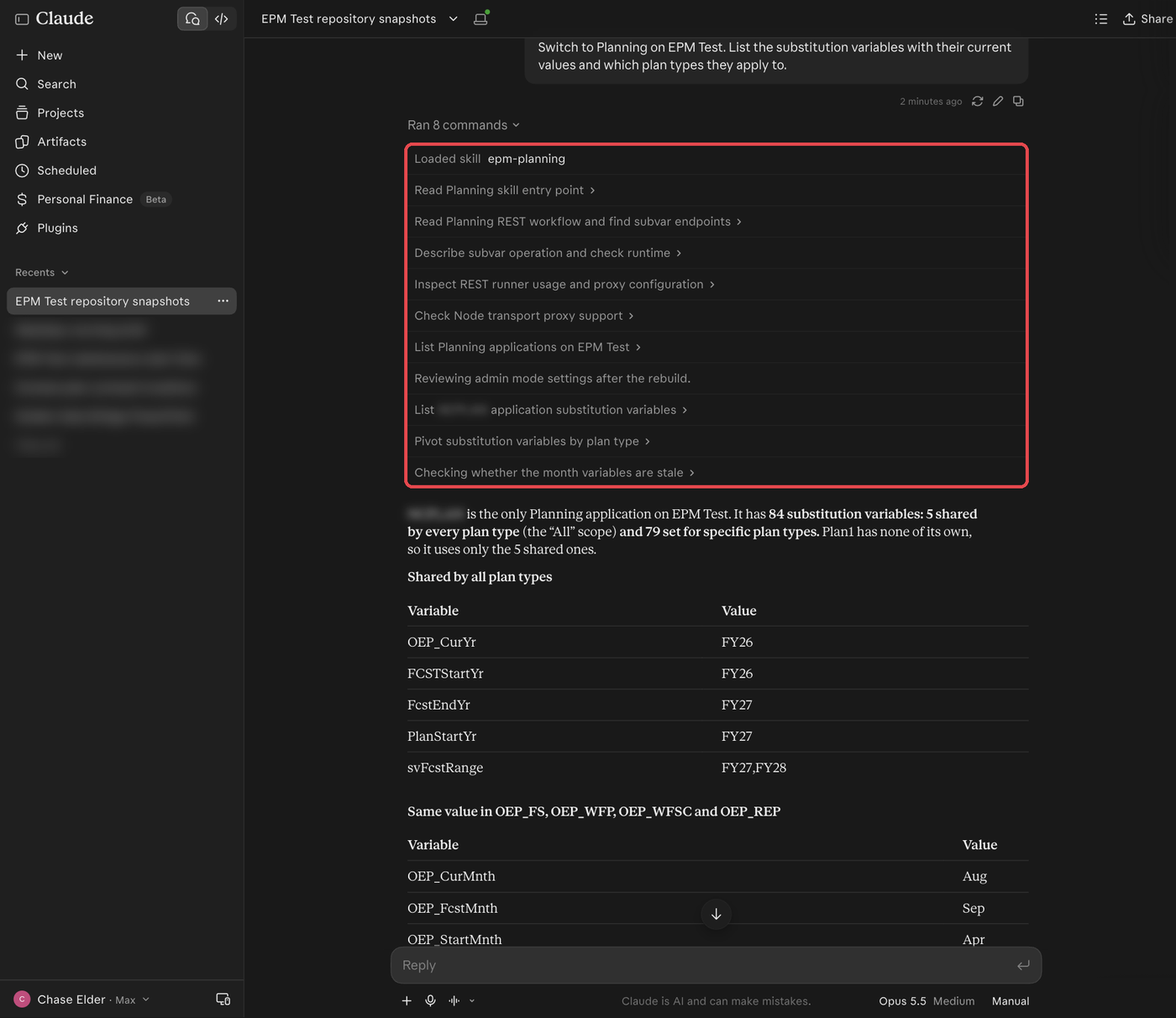
The Planning skill uses a Node runner for its REST calls, so Claude checked that the sandbox had Node and a proxy route before it called the pod.
Claude didn't know the application name, so it listed the Planning applications first. There's only one. Then it pulled all 84 variables and grouped them: the ones set for all plan types, the ones with the same value in four plan types, the one that differs, and the ones that exist in only one plan type. That grouping is what makes the differences easy to spot.
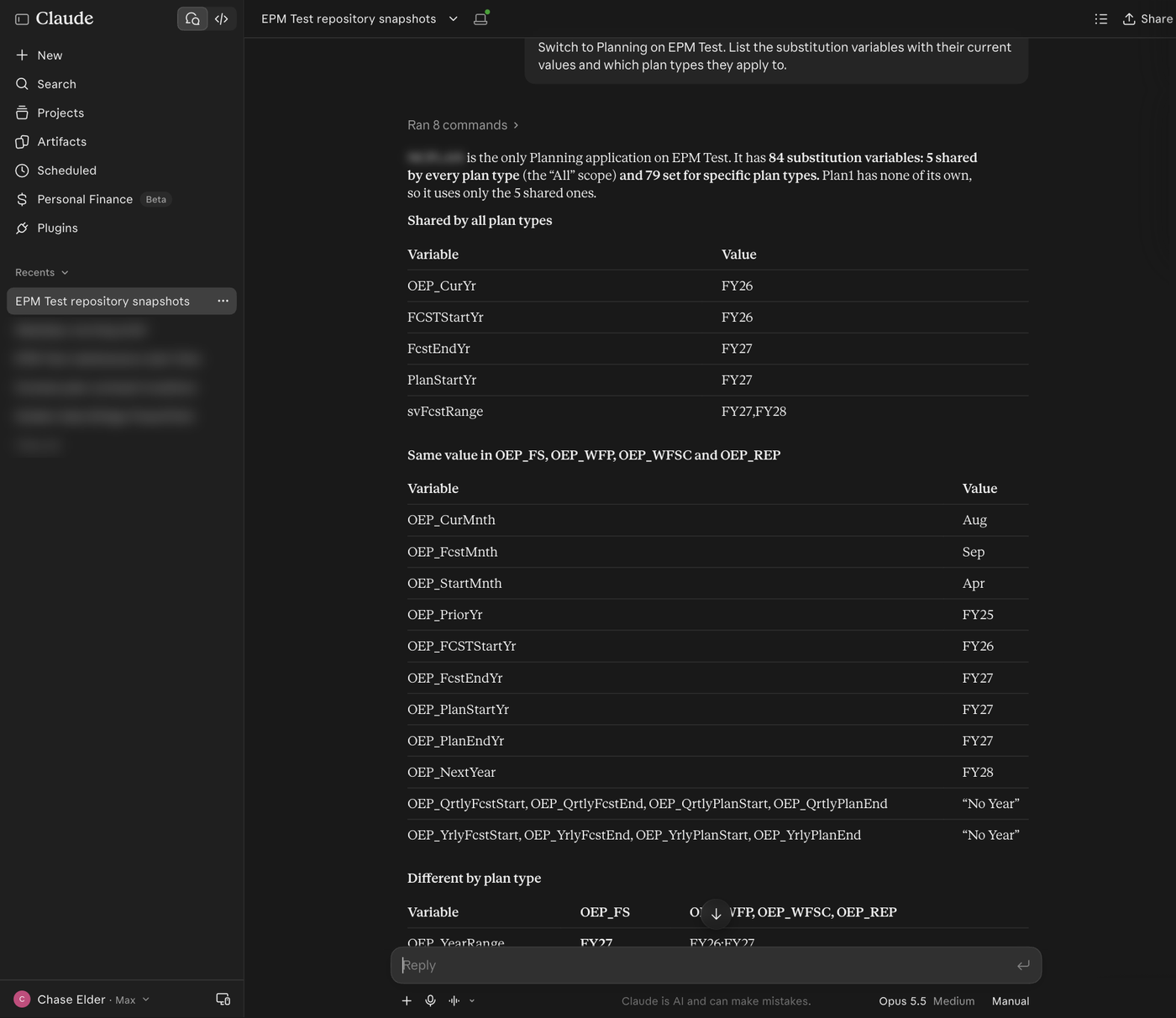
The application name is blurred. The OEP_ variables are set per plan type, so the same values repeat across OEP_FS, OEP_WFP, OEP_WFSC and OEP_REP.
The end of the answer is the part that matters:
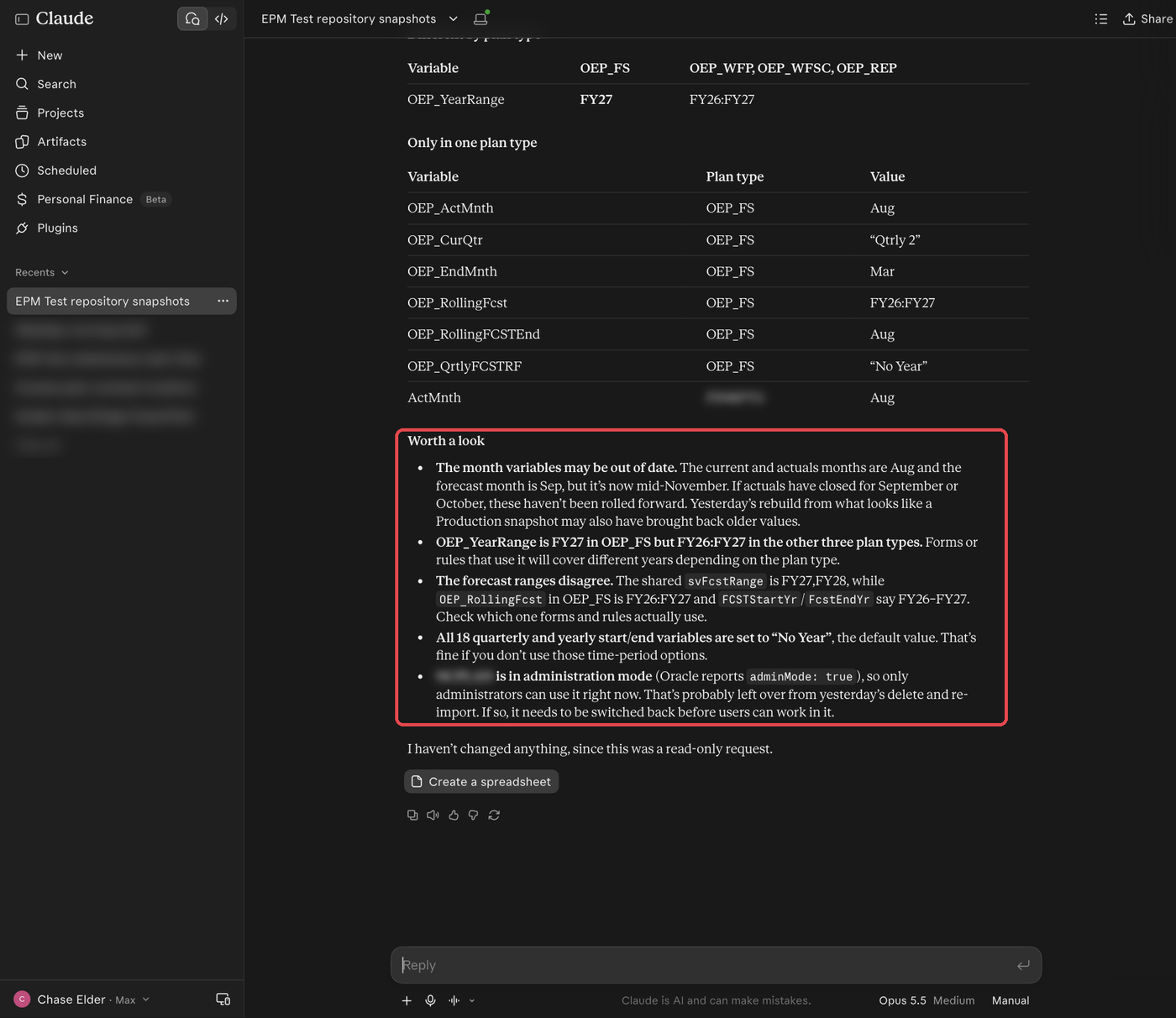
It also noticed the application was in administration mode. That wasn't part of the question.
Two of those are things I'd want to know before a client meeting. The current-month variables still say Aug in mid-November. The application is also in administration mode, so only admins can get in. Claude tied both to the rebuild it found in the Activity Report. It still had that answer in the same chat, so it read this one with that context.
The answer ends with "I haven't changed anything, since this was a read-only request." Rolling the month variables forward or taking the app out of administration mode would be a write. The Planning skill handles writes differently from Core, which I cover at the end of the next section.
Writes: approve before anything changes
Every Core operation in the skill has an effect, such as read, update, create, delete, or administrative. Reads go straight through. Everything else stops at APPROVAL_REQUIRED. The skill writes a private approval bundle and gives Claude three things to show you:
- an
approval_request_id, likeepm-approve-6e7bf7e890fb1b1423ffdb4c46d6d990 - a one-line description of the operation, the pod, and the Oracle user it runs as
- a preview of the exact request, with method, URL, and body
You approve by sending that ID back. Saying "yes, do it" in the original prompt doesn't count. Oracle's own skill docs say "The original request is not that approval." The ID expires after 30 minutes, works once, and only for that exact request on that session. If anything changes, you get a new ID.
Where the mockups come from
I didn't run any of these against EPM Test. To get the real wording, I built a Basic session in Claude Code with a fake pod URL (epm-demo-a123456) and a fake password, then asked the skill for the write. Oracle's helper prepares the approval bundle locally and stops. This is its actual output for the maintenance window change, trimmed:
{
  "state": "APPROVAL_REQUIRED",
  "approval_request": {
    "approval_request_id": "epm-approve-6e7bf7e890fb1b1423ffdb4c46d6d990",
    "description": "Approve Oracle EPM effect 'update': Set the daily maintenance window start time (operation ID infra.maintenance.set) against https://epm-demo-a123456.epm.us-phoenix-1.ocs.oraclecloud.com for business 'Planning' as Oracle user '[email protected]'; plan ID epm-16d4652af8b7220852af97f1ced4ef2d.",
    "expires_at": "2026-11-19T17:30:16+00:00",
    "preview": {
      "method": "PUT",
      "url": "https://epm-demo-a123456.epm.us-phoenix-1.ocs.oraclecloud.com/interop/rest/v2/maintenance/setdailymaintenancestarttime",
      "body": { "startTime": "02:00" }
    },
    "warnings": [
      "No state-changing Oracle request was sent.",
      "Client-side dry run validates routing, version, path, required fields, and secret handling; it cannot guarantee server acceptance."
    ]
  }
}
The mockups put that into the chat layout from Part 1. The wording of Claude's replies is mine. Claude phrases it differently every time, but it has to show you those three fields.
Move the maintenance window
Part 1 found the window at 04:32 UTC, which is 11:32 PM Eastern. Say a client wants it earlier, at 02:00 UTC:
Move the daily maintenance window on EPM Test to 02:00 UTC.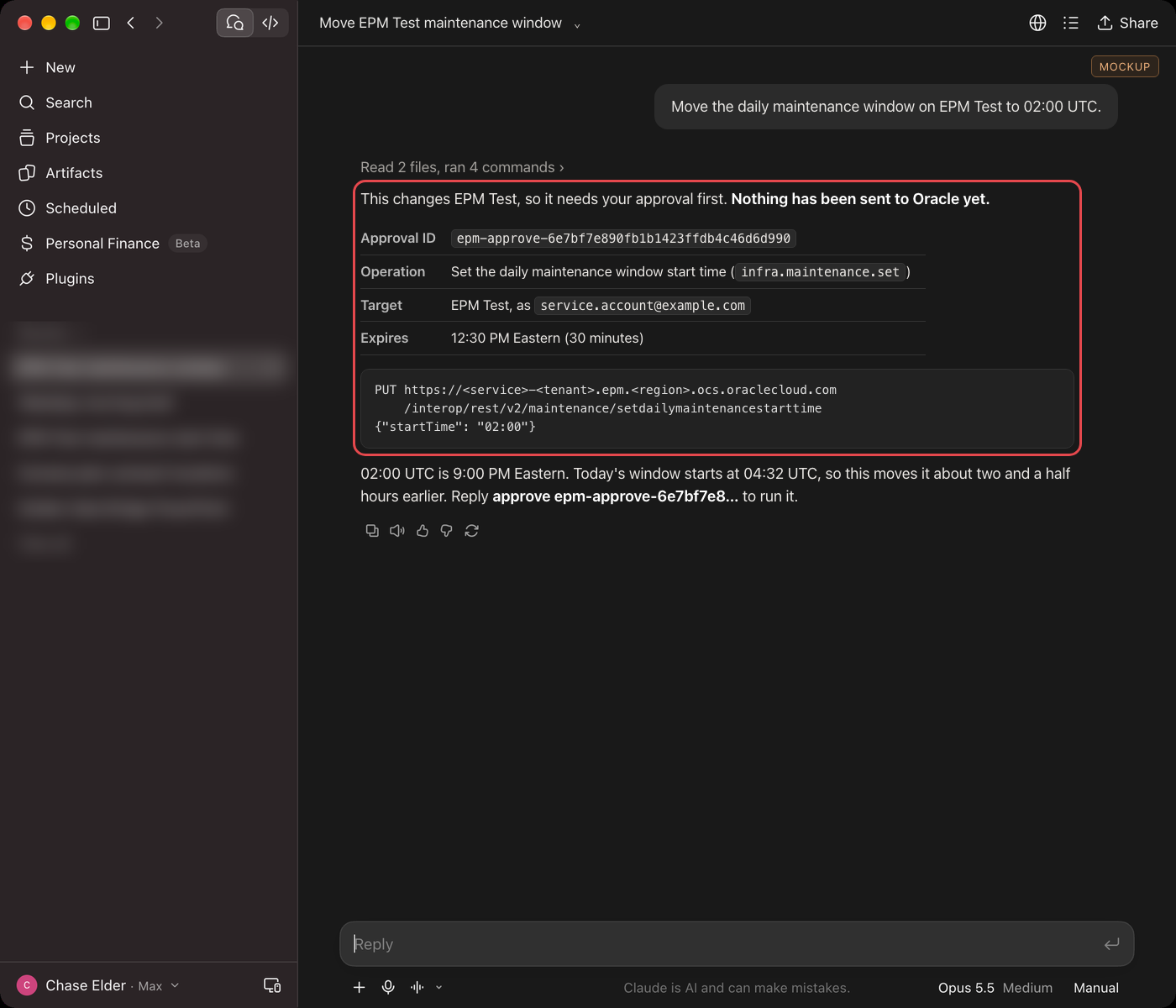
Mockup. Nothing reaches Oracle at this point.
Oracle's startTime is UTC unless you add a time zone name after the time, like "21:00 America/New_York". Check the preview for that before you approve. 02:00 and 02:00 Eastern are five hours apart.
To run it, reply with the ID:
Approve epm-approve-6e7bf7e890fb1b1423ffdb4c46d6d990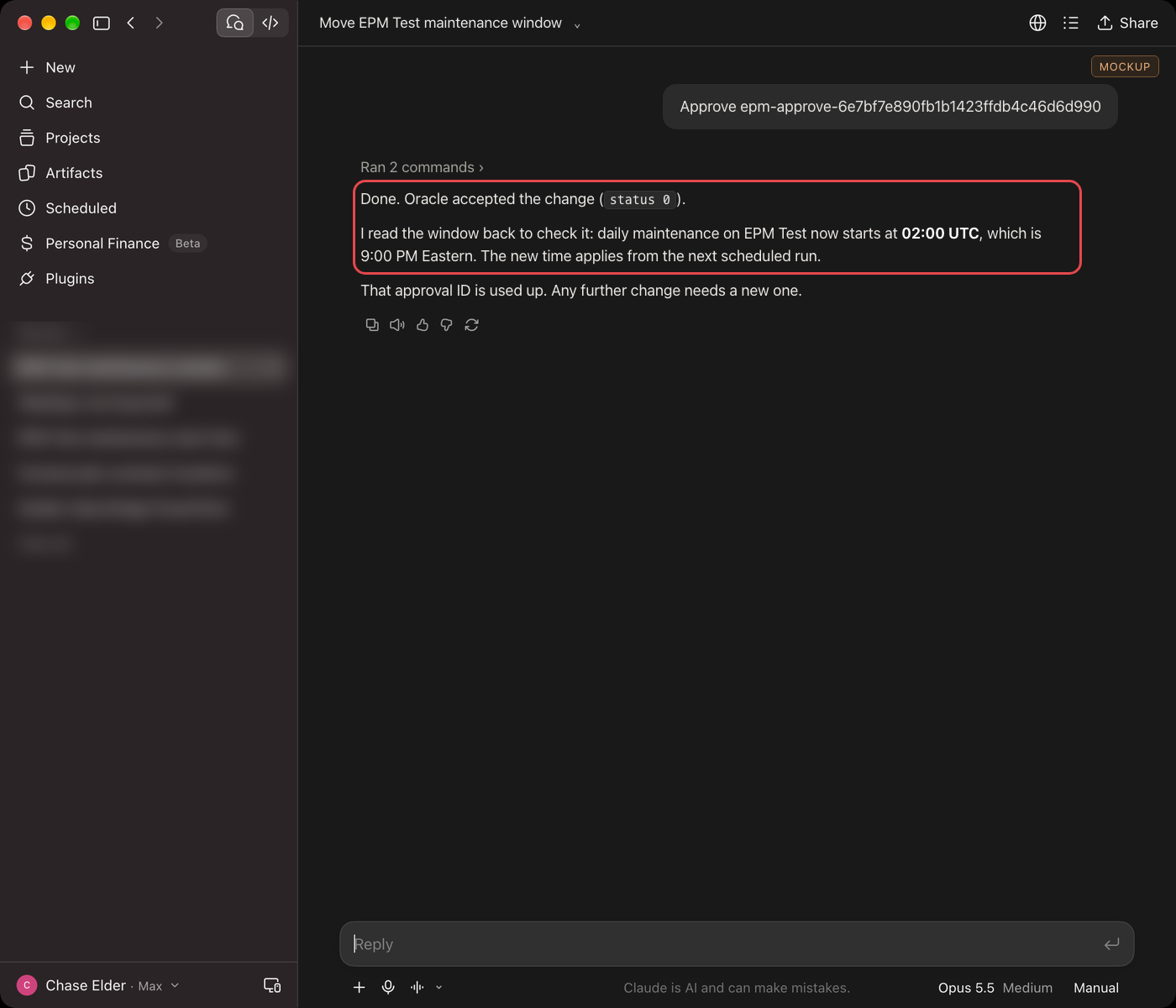
Mockup. Oracle returns status 0 when it accepts the change.
The ID is used up after that. If the request fails partway, the skill won't retry it on its own. Claude is supposed to check the pod's state first and ask you for a new approval.
Add users to a group
Group membership is the change I'd most like to hand off, because it's slow in the web interface and easy to get wrong:
Add [email protected] and [email protected] to the FP&A Planners group on EPM Test.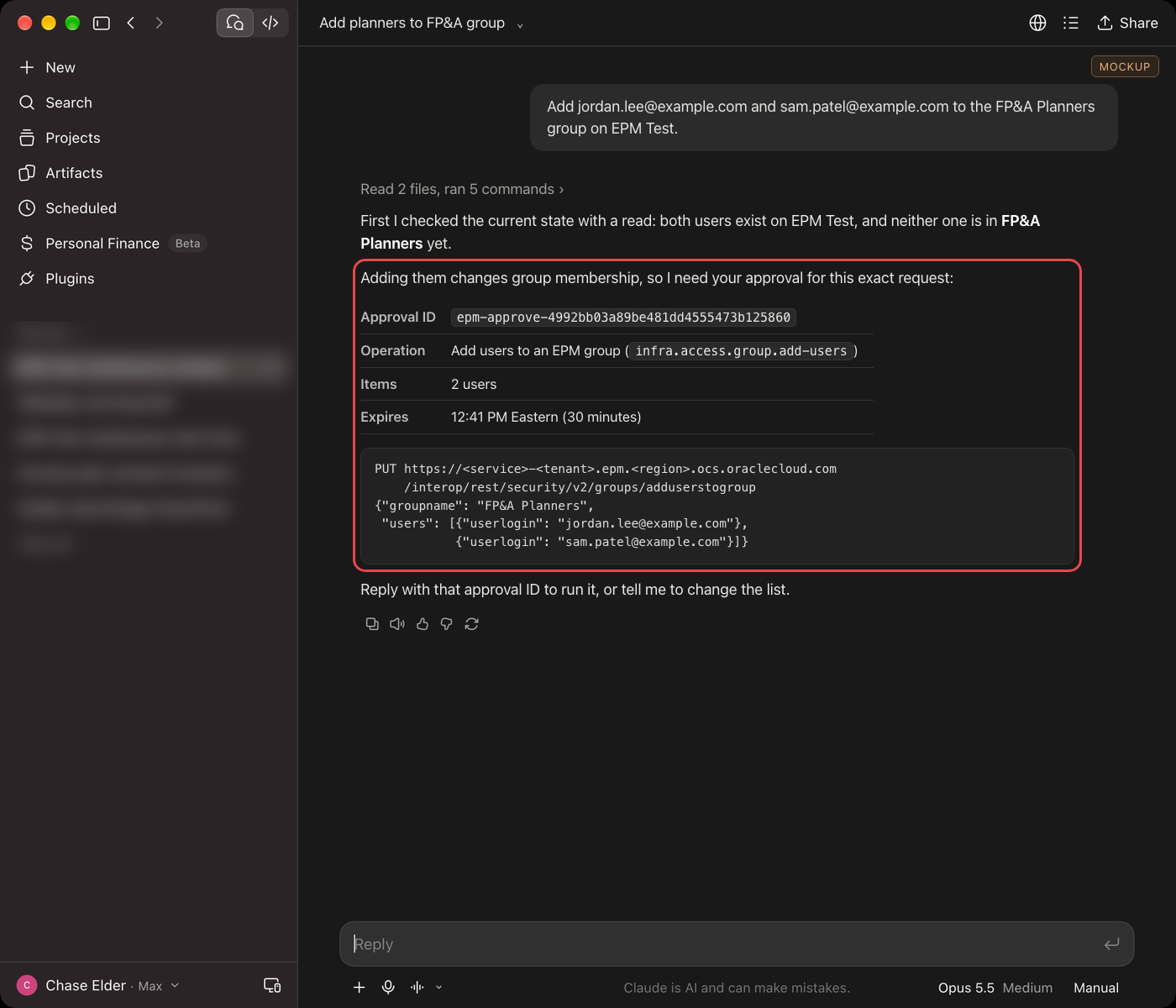
Mockup. A read first, then the approval for the write. The "Items: 2 users" count comes from the skill's item_counts field.
In the mockup Claude reads the users and the group before it asks. That part is a read, so it runs without approval. The write is infra.access.group.add-users, a PUT to /interop/rest/security/v2/groups/adduserstogroup, and the body is the group name and a list of userlogin values.
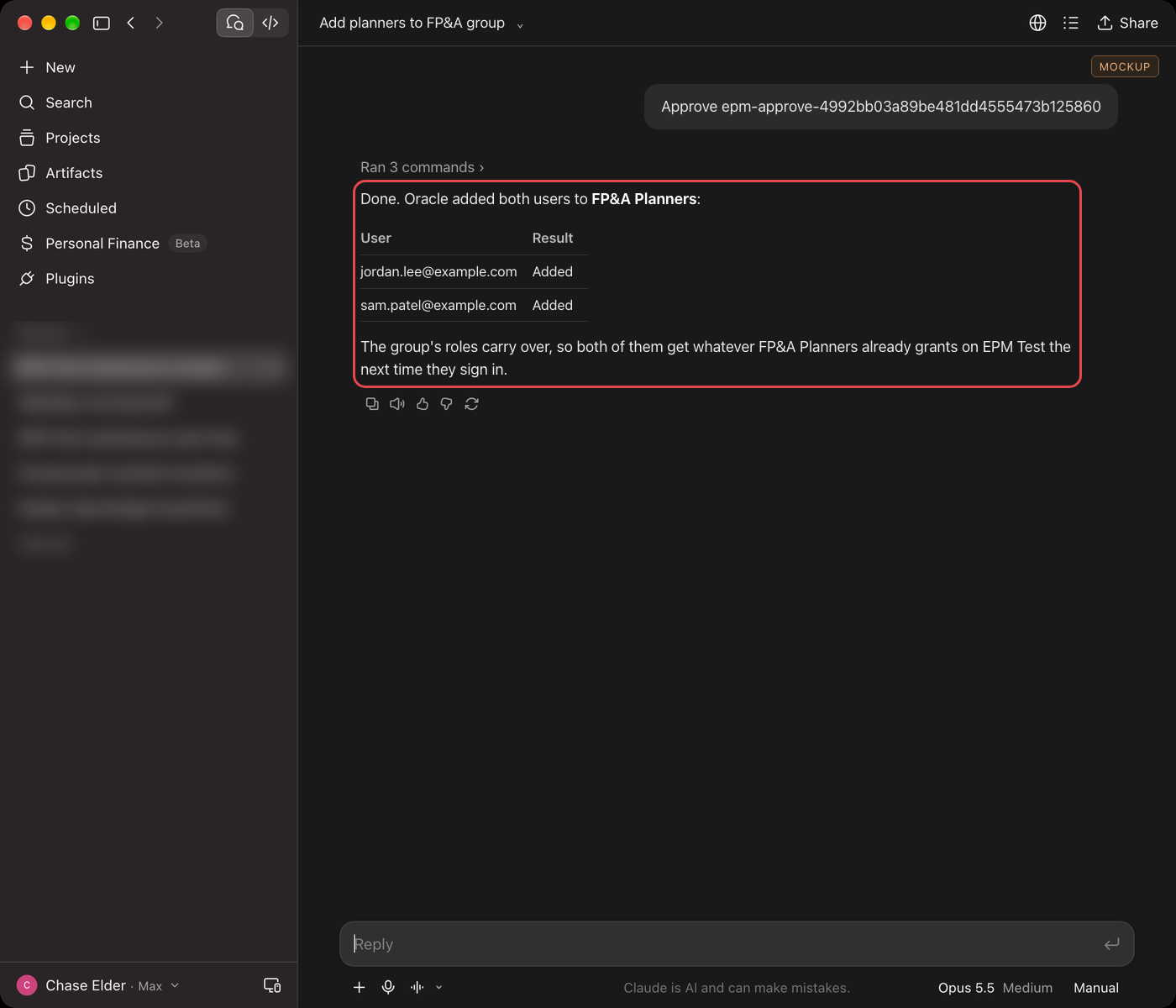
Mockup.
The same flow covers removing users (infra.access.group.remove-users), assigning roles (infra.access.roles.assign-user), and creating groups (infra.identity.groups.add). Only the ID and the preview change.
Planning writes are different
Everything above is the Core skill. The Planning skill handles writes another way. Business Concept and association writes follow your instruction directly, and Oracle's server enforces your roles. Other Planning POST, PUT, PATCH, and DELETE calls need an approval provider module that the host app supplies. Oracle's docs name the variable EPM_PLANNING_REST_APPROVAL_PROVIDER. Claude doesn't ship one. Updating a substitution variable is one of those calls. I haven't tested what Claude does without the module, so I left Planning writes out of this post.
What I'd try next
- Ask for an access log for one user over a date range. It's the same group of APIs as the Activity Report.
- Ask for a role assignment report. It comes back as JSON, so Claude can summarize it the same way.
- Use the Activity Report the morning after a big change. That's where the "Things that look off" section paid off.
Keep the writes on a test pod until you've read a few approval previews and know what to look for.
Comments
Plain text only. No account needed — blank name shows as Anonymous. You can reply once under any top-level comment.
Loading…